OP
OP


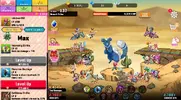
Too fast progress stage = banin "always boss" it says "high risk", what is the high risk? to be banned?


Too fast progress stage = banin "always boss" it says "high risk", what is the high risk? to be banned?
[Attachment removed from Quotes]
Name: Attack On Moe H
Version: 4.5.4
Root: No
Mod features:
1. Unlock all girls
2. Free revive
3. Gold multiplier
4. Skill no cd
5. Damage x1-100
6. Free upgrade
7. Always boss fight
Install Steps:
1. Download & Install mod
2. Enable "DRAW OVER" or "DISPLAY POP-UP WINDOW" permission (if Android 6+)
3. Enable storage permission
4. Enjoy!
HOW TO ENABLE PERMISSION ON ANDROID
WHY BLACK/WHITE SCREEN/CRASHED?
- Open device "Settings"
- Go to APPS
- Scroll down to desired APP and TAP IT
- Go to "OTHER PERMISSIONS" or "ADVANCED PERMS" and tick "DRAW OVER" or "DISPLAY POP-UP WINDOW"
GAME STILL CRASHED, HOW TO SEND LOGS?
- Enable STORAGE permission
- Remove gameguardian or any similar memory tool
- Remove adblocker
- Some device has battery optimization, disable it
- Go to folder /Android/data/game package name/files/mod_menu_crash_logs.txt
- Copy & paste or take a screenshot inside the logs, send it here
- Some device may have different dir (document files)
- Alternative way: Install matlogs app (required root device), open matlogs & click start record. Open the game wait for game crashed or few minutes and stop record.
Think of it as a way to support me, I'm doing my best to keep them user friendly and not frequent. There is always one on start and after that one every 30mins! Think of it as a small contribution and not a pain in the ass.
VIP users will not see ads!
Credits: Jacknator
Playstore Link: Nutaku.net | Online games
[Hidden content]
[Attachment removed from Quotes]
Name: Attack On Moe H
Version: 4.5.4
Root: No
Mod features:
1. Unlock all girls
2. Free revive
3. Gold multiplier
4. Skill no cd
5. Damage x1-100
6. Free upgrade
7. Always boss fight
Install Steps:
1. Download & Install mod
2. Enable "DRAW OVER" or "DISPLAY POP-UP WINDOW" permission (if Android 6+)
3. Enable storage permission
4. Enjoy!
HOW TO ENABLE PERMISSION ON ANDROID
WHY BLACK/WHITE SCREEN/CRASHED?
- Open device "Settings"
- Go to APPS
- Scroll down to desired APP and TAP IT
- Go to "OTHER PERMISSIONS" or "ADVANCED PERMS" and tick "DRAW OVER" or "DISPLAY POP-UP WINDOW"
GAME STILL CRASHED, HOW TO SEND LOGS?
- Enable STORAGE permission
- Remove gameguardian or any similar memory tool
- Remove adblocker
- Some device has battery optimization, disable it
- Go to folder /Android/data/game package name/files/mod_menu_crash_logs.txt
- Copy & paste or take a screenshot inside the logs, send it here
- Some device may have different dir (document files)
- Alternative way: Install matlogs app (required root device), open matlogs & click start record. Open the game wait for game crashed or few minutes and stop record.
Think of it as a way to support me, I'm doing my best to keep them user friendly and not frequent. There is always one on start and after that one every 30mins! Think of it as a small contribution and not a pain in the ass.
VIP users will not see ads!
Credits: Jacknator
Playstore Link: Nutaku.net | Online games
[Hidden content]

WHERE IS THIS NEW APK, I'm having the same issue with crashing and for some reason loggin into youtube jackinatorI did upload new apk last week, pls download new one
Tf you talking about ? You asking on wrong person ?Genial bro, thanks for that. I want to ask something, what is test 3 and test 4?


[Attachment removed from Quotes]
Name: Attack On Moe H
Version: 4.5.4
Root: No
Mod features:
1. Unlock all girls
2. Free revive
3. Gold multiplier
4. Skill no cd
5. Damage x1-100
6. Free upgrade
7. Always boss fight
Install Steps:
1. Download & Install mod
2. Enable "DRAW OVER" or "DISPLAY POP-UP WINDOW" permission (if Android 6+)
3. Enable storage permission
4. Enjoy!
HOW TO ENABLE PERMISSION ON ANDROID
WHY BLACK/WHITE SCREEN/CRASHED?
- Open device "Settings"
- Go to APPS
- Scroll down to desired APP and TAP IT
- Go to "OTHER PERMISSIONS" or "ADVANCED PERMS" and tick "DRAW OVER" or "DISPLAY POP-UP WINDOW"
GAME STILL CRASHED, HOW TO SEND LOGS?
- Enable STORAGE permission
- Remove gameguardian or any similar memory tool
- Remove adblocker
- Some device has battery optimization, disable it
- Go to folder /Android/data/game package name/files/mod_menu_crash_logs.txt
- Copy & paste or take a screenshot inside the logs, send it here
- Some device may have different dir (document files)
- Alternative way: Install matlogs app (required root device), open matlogs & click start record. Open the game wait for game crashed or few minutes and stop record.
Think of it as a way to support me, I'm doing my best to keep them user friendly and not frequent. There is always one on start and after that one every 30mins! Think of it as a small contribution and not a pain in the ass.
VIP users will not see ads!
Credits: Jacknator
Playstore Link: Nutaku.net | Online games
[Hidden content]

 ,
,  ,
, 


[Attachment removed from Quotes]
Name: Attack On Moe H
Version: 4.5.4
Root: No
Mod features:
1. Unlock all girls
2. Free revive
3. Gold multiplier
4. Skill no cd
5. Damage x1-100
6. Free upgrade
7. Always boss fight
Install Steps:
1. Download & Install mod
2. Enable "DRAW OVER" or "DISPLAY POP-UP WINDOW" permission (if Android 6+)
3. Enable storage permission
4. Enjoy!
HOW TO ENABLE PERMISSION ON ANDROID
WHY BLACK/WHITE SCREEN/CRASHED?
- Open device "Settings"
- Go to APPS
- Scroll down to desired APP and TAP IT
- Go to "OTHER PERMISSIONS" or "ADVANCED PERMS" and tick "DRAW OVER" or "DISPLAY POP-UP WINDOW"
GAME STILL CRASHED, HOW TO SEND LOGS?
- Enable STORAGE permission
- Remove gameguardian or any similar memory tool
- Remove adblocker
- Some device has battery optimization, disable it
- Go to folder /Android/data/game package name/files/mod_menu_crash_logs.txt
- Copy & paste or take a screenshot inside the logs, send it here
- Some device may have different dir (document files)
- Alternative way: Install matlogs app (required root device), open matlogs & click start record. Open the game wait for game crashed or few minutes and stop record.
Think of it as a way to support me, I'm doing my best to keep them user friendly and not frequent. There is always one on start and after that one every 30mins! Think of it as a small contribution and not a pain in the ass.
VIP users will not see ads!
Credits: Jacknator
Playstore Link: Nutaku.net | Online games
[Hidden content]
[Attachment removed from Quotes]
Name: Attack On Moe H
Version: 4.5.4
Root: No
Mod features:
1. Unlock all girls
2. Free revive
3. Gold multiplier
4. Skill no cd
5. Damage x1-100
6. Free upgrade
7. Always boss fight
Install Steps:
1. Download & Install mod
2. Enable "DRAW OVER" or "DISPLAY POP-UP WINDOW" permission (if Android 6+)
3. Enable storage permission
4. Enjoy!
HOW TO ENABLE PERMISSION ON ANDROID
WHY BLACK/WHITE SCREEN/CRASHED?
- Open device "Settings"
- Go to APPS
- Scroll down to desired APP and TAP IT
- Go to "OTHER PERMISSIONS" or "ADVANCED PERMS" and tick "DRAW OVER" or "DISPLAY POP-UP WINDOW"
GAME STILL CRASHED, HOW TO SEND LOGS?
- Enable STORAGE permission
- Remove gameguardian or any similar memory tool
- Remove adblocker
- Some device has battery optimization, disable it
- Go to folder /Android/data/game package name/files/mod_menu_crash_logs.txt
- Copy & paste or take a screenshot inside the logs, send it here
- Some device may have different dir (document files)
- Alternative way: Install matlogs app (required root device), open matlogs & click start record. Open the game wait for game crashed or few minutes and stop record.
Think of it as a way to support me, I'm doing my best to keep them user friendly and not frequent. There is always one on start and after that one every 30mins! Think of it as a small contribution and not a pain in the ass.
VIP users will not see ads!
Credits: Jacknator
Playstore Link: Nutaku.net | Online games
[Hidden content]
Its already fixed 3 days ago, always check the last post before reply !the mod are fixed...? dont run the game, the login is alright, but close inmediatly


[Attachment removed from Quotes]
Name: Attack On Moe H
Version: 4.5.4
Root: No
Mod features:
1. Unlock all girls
2. Free revive
3. Gold multiplier
4. Skill no cd
5. Damage x1-100
6. Free upgrade
7. Always boss fight
Install Steps:
1. Download & Install mod
2. Enable "DRAW OVER" or "DISPLAY POP-UP WINDOW" permission (if Android 6+)
3. Enable storage permission
4. Enjoy!
HOW TO ENABLE PERMISSION ON ANDROID
WHY BLACK/WHITE SCREEN/CRASHED?
- Open device "Settings"
- Go to APPS
- Scroll down to desired APP and TAP IT
- Go to "OTHER PERMISSIONS" or "ADVANCED PERMS" and tick "DRAW OVER" or "DISPLAY POP-UP WINDOW"
GAME STILL CRASHED, HOW TO SEND LOGS?
- Enable STORAGE permission
- Remove gameguardian or any similar memory tool
- Remove adblocker
- Some device has battery optimization, disable it
- Go to folder /Android/data/game package name/files/mod_menu_crash_logs.txt
- Copy & paste or take a screenshot inside the logs, send it here
- Some device may have different dir (document files)
- Alternative way: Install matlogs app (required root device), open matlogs & click start record. Open the game wait for game crashed or few minutes and stop record.
Think of it as a way to support me, I'm doing my best to keep them user friendly and not frequent. There is always one on start and after that one every 30mins! Think of it as a small contribution and not a pain in the ass.
VIP users will not see ads!
Credits: Jacknator
Playstore Link: Nutaku.net | Online games
[Hidden content]

and... how i know if is the last post? lit i felt that i checked the correct post xdIts already fixed 3 days ago, always check the last post before reply !
1. Last post = read from last pageand... how i know if is the last post? lit i felt that i checked the correct post xd