OP
OP




More smoother in emulator? Just askingmodinit has been update

I haven’t tested it yet, but I think it’s unlikelyMore smoother in emulator? Just asking

Can someone help me?? I'm trying to download the EN version but I can't find the file modinit, what do I have to do to make the MOD work?? The app already works fine but the mod doesn't work
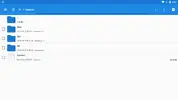
I downloaded the two files "modinit(full effect)3" and "modinit (only skin)3" then I put them both in the Android folder as the instruction says and then I re-named them as "Modinit3", the mod still doesn't work and I can't see the skins, what did I do wrong?[Attachment removed from Quotes]
Not "Modinit3", It's ModinitI downloaded the two files "modinit(full effect)3" and "modinit (only skin)3" then I put them both in the Android folder as the instruction says and then I re-named them as "Modinit3", the mod still doesn't work and I can't see the skins, what did I do wrong?
I know but since the files are two if I try to rename them both into "modinit" it says that I can't because there is already one with that name, anyway the mod started working now I have all the skins, but for the god mode mod to be effective I need to use the navy camouflage right?Not "Modinit3", It's Modinit
Yes, you need equip to use technologyI know but since the files are two if I try to rename them both into "modinit" it says that I can't because there is already one with that name, anyway the mod started working now I have all the skins, but for the god mode mod to be effective I need to use the navy camouflage right?

Can someone help me to make video tutorial to install this mod? I really confuse to install the mod
1 - Install the game with the APK in the english folder
2 - Put the OBB file inside the OBB folder of the game
3 - Put the Midlnit file (all settings on) inside Android, where you can only see the data and obb folders
4 - Enter the game and update
5 - Log in


有設定允許檔案存取、遊戲重啟數次、模擬器是安卓6以上嗎用模拟器,且正确安装模拟器版本,我在安装过程APK可以正常加载到 几百MB的更新完成。 但我将Modlnit File文件夹 使用中文版安装(ModInit全科技3)重命名于(ModInit)至Android文件夹里面,且没有安放错误但是就是会卡在加载界面。

Need to restart several times or confirm file access is openI did exactly like tutorial but it didn't load at all, all black...