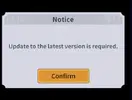
Yeah, i've been playing for awhile and testing. But I don't do damage to any mobs xD. Seems like it's bugged. I can show you a video. Not sure why it started doing that. It wouldn't do damage to the mobs. I can show you a video if needed.
Go to "OTHER PERMISSIONS" or "ADVANCED PERMS" and tick "DRAW OVER" or "DISPLAY POP-UP WINDOW"
WHY BLACK/WHITE SCREEN/CRASHED?
Enable STORAGE permission
Remove gameguardian or any similar memory tool
Some device has battery optimization, disable it
GAME STILL CRASHED, HOW TO SEND LOGS?
Go to folder /Android/data/game package name/files/mod_menu_crash_logs.txt
Copy & paste or take a screenshot inside the logs, send it here
Some device may have different dir (document files)
Alternative way: Install matlogs app (required root device), open matlogs & click start record. Open the game wait for game crashed or few minutes and stop record.
Go to "OTHER PERMISSIONS" or "ADVANCED PERMS" and tick "DRAW OVER" or "DISPLAY POP-UP WINDOW"
WHY BLACK/WHITE SCREEN/CRASHED?
Enable STORAGE permission
Remove gameguardian or any similar memory tool
Some device has battery optimization, disable it
GAME STILL CRASHED, HOW TO SEND LOGS?
Go to folder /Android/data/game package name/files/mod_menu_crash_logs.txt
Copy & paste or take a screenshot inside the logs, send it here
Some device may have different dir (document files)
Alternative way: Install matlogs app (required root device), open matlogs & click start record. Open the game wait for game crashed or few minutes and stop record.
There are several method to login with google login, google login can be complicated for some newbies. I do prefer other login but google is the last choices
Method #1 is consider the best option and it will work 99% of time
Requirement:
Rooted device
Patched device
Unsigned mod apk
You can patched your device with
Lucky Patcher (might need several tries to applied on Android 9+ until success, warning might brick your device)
Core Patch
Use both is also an option
Method 1
Install the game from Playstore or original apk from apkcombo
Open the game and login your account
Close the game and install mod over without uninstall the original
Method 2
Install original version of the game. Log-in your Google account as normal
Install Titanium Backup. Go to MENU/Preferences
In Backup setting: tick Always for Backup app external data
In Restore setting: tick Restore app external data
Then back-up the game you want
Uninstall the game and install the mod
Go to Titanium backup and choose the game to restore
Choose Restore APP DATA ONLY
After finishing restore, log-in the mod game and enjoy
There are several method to login with google login, google login can be complicated for some newbies. I do prefer other login but google is the last choices
Method #1 is consider the best option and it will work 99% of time
Requirement:
Rooted device
Patched device
Unsigned mod apk
You can patched your device with
Lucky Patcher (might need several tries to applied on Android 9+ until success, warning might brick your device)
Core Patch
Use both is also an option
Method 1
Install the game from Playstore or original apk from apkcombo
Open the game and login your account
Close the game and install mod over without uninstall the original
Method 2
Install original version of the game. Log-in your Google account as normal
Install Titanium Backup. Go to MENU/Preferences
In Backup setting: tick Always for Backup app external data
In Restore setting: tick Restore app external data
Then back-up the game you want
Uninstall the game and install the mod
Go to Titanium backup and choose the game to restore
Choose Restore APP DATA ONLY
After finishing restore, log-in the mod game and enjoy
FYI : everytime I reopen game I need to login again. sadly I couldn't login unless I re-do thess steps :
-INSTALL ORIGINAL APPS
-CLEAR GOOGLE PLAY SERVICE DATA
-DO METHOD 1
any suggestion? pls?
Go to "OTHER PERMISSIONS" or "ADVANCED PERMS" and tick "DRAW OVER" or "DISPLAY POP-UP WINDOW"
WHY BLACK/WHITE SCREEN/CRASHED?
Enable STORAGE permission
Remove gameguardian or any similar memory tool
Some device has battery optimization, disable it
GAME STILL CRASHED, HOW TO SEND LOGS?
Go to folder /Android/data/game package name/files/mod_menu_crash_logs.txt
Copy & paste or take a screenshot inside the logs, send it here
Some device may have different dir (document files)
Alternative way: Install matlogs app (required root device), open matlogs & click start record. Open the game wait for game crashed or few minutes and stop record.