

Outdated DISGAEA RPG v1.0.254 MOD MENU [damage - defense - speed - win]
- Thread starter Alex
- Start date
You are using an out of date browser. It may not display this or other websites correctly.
You should upgrade or use an alternative browser.
You should upgrade or use an alternative browser.

Swerve
New User
Same it keeps giving me this issue and I'm not sure what to doIt says failed to extract resources needed by Il2CPP
I've placed the .ar file on emulated/0 which is internal storage right?
Android 10

Zamargad
New User
Vguy87
New User
[Attachment removed from Quotes]
Game Name: DISGAEA RPG
Package Name: com.boltrend.disgaea.en
MOD Version: 1.0.254
Root: NOT NEEDED
Features MOD MENU APK:
JOIN TELEGRAM HERE:
- Damage Boost
- Defense Boost
- Speed Boost
- Fast Win
NEWS & UPDATES
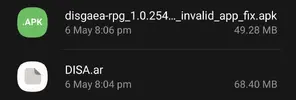
Download MOD MENU APK - disgaea-rpg_1.0.254_mod_invalid_app_fix.apk - Android Download
Download DISA.ar - DISA.ar - Android Download
Download OBB FILE - LATEST OBB HERE
Install Steps:
- Link your account to any social (simply backup your account)
- Uninstall your current version
- Download & Install the MOD
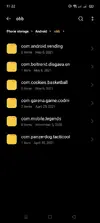
- Unzip obb to /Android/Obb
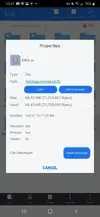
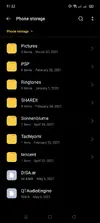
- Download & place DISA.ar inside /emulated/0
- If you have GameGuardian(GG) installed, uninstall it
Update Steps:
- Download & Install new mod over OLD one
- Download & replace the new OBB
- Download & replace DISA.ar file
White SCREEN ?
- Double check you installed OBB correctly!
- Double check that you have DISA.ar file in the correct place.
- Double check "STORAGE" & "DRAW OVER" permissions
Credits: iAlex
SOCIALS: @iAlex
Playstore Link: DISGAEA RPG - Apps on Google Play
How to download from AndroidDownload.net
Gameplay
Im on android 9 my phone didnt have a emulated/0 folder so i crated on and put it everywhere still giving me the ll error
OP
OP


Arima
New User
Neiloy
New User
i keep having failed to extract resources by ll2CPP.
i already extracted the disa.ar on my internal storage and OBB in its place.
help please im on android 10 using samsung s9+
i already extracted the disa.ar on my internal storage and OBB in its place.
help please im on android 10 using samsung s9+
Swerve
New User
Aftokraptor
VIP


siegnl
New User
turn on permission manuallyi keep having failed to extract resources by ll2CPP.
i already extracted the disa.ar on my internal storage and OBB in its place.
help please im on android 10 using samsung s9+

MrWayne
New User

MrWayne
New User
How?
I can confirm it's working after I download the disa.ar to my root folder, and replacing the apk. Thanks!

kanum060633
New User
confirm working but need allowed permission storage too. mod not ask for allow permission storage need to manual.

Vocalik
New User
Do you reinstalled from zero or installed over the old apk?confirm working but need allowed permission storage too. mod not ask for allow permission storage need to manual.
I don't have the old apk damn

ejl
New User
Apparently reinstalled the older fix apk, then reupdating with the updated fix apk works the charm
Neiloy
New User
OP
OP
- Double check you installed OBB correctly!
- Double check that you have DISA.ar file in the correct place.
- Double check "STORAGE" & "DRAW OVER" permissions
just saying
- Double check that you have DISA.ar file in the correct place.
- Double check "STORAGE" & "DRAW OVER" permissions
just saying
Swerve
New User
I made sure it was installed correctly and the obb is in the right place and I still get errors- Double check you installed OBB correctly!
- Double check that you have DISA.ar file in the correct place.
- Double check "STORAGE" & "DRAW OVER" permissions
just saying
MrWayne
New User
Thank you.. becuz of you I finally figured it out.confirm working but need allowed permission storage too. mod not ask for allow permission storage need to manual.
u need the old apk to get permission with (app invalid) dont delete it.
then download the DISA.ar and New Apk.
Working for me now..
Attachments
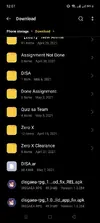
TLinh
New User
I got it to work but not with the OBB provide in here.
I have to download the main game, make a copy of the OBB
uninstall the game because you can not install the mod APK on the real APK
Copy the OBB back to android/OBB
install mod apk and dis.ar as guide
I have to download the main game, make a copy of the OBB
uninstall the game because you can not install the mod APK on the real APK
Copy the OBB back to android/OBB
install mod apk and dis.ar as guide
Share: