


Exclusive Evil Hunter Tycoon v1.372 [5+ FEATURES]
- Thread starter Jacknator
- Start date
You are using an out of date browser. It may not display this or other websites correctly.
You should upgrade or use an alternative browser.
You should upgrade or use an alternative browser.


Texdo
New User
Gedhang
New User

Havepan
New User
[Attachment removed from Quotes]
Name: Evil Hunter Tycoon
Version: 1.362
Root: No
Mod features:
1. Damage x1-100
2. Godmode
3. Loot x1-25
Install Steps:
1. Download & Install mod
2. Enable "DRAW OVER" or "DISPLAY POP-UP WINDOW" permission (if Android 6+)
3. Enable storage permission
4. Enjoy!
HOW TO ENABLE PERMISSION ON ANDROID
WHY BLACK/WHITE SCREEN/CRASHED?
- Open device "Settings"
- Go to APPS
- Scroll down to desired APP and TAP IT
- Go to "OTHER PERMISSIONS" or "ADVANCED PERMS" and tick "DRAW OVER" or "DISPLAY POP-UP WINDOW"
GAME STILL CRASHED, HOW TO SEND LOGS?
- Enable STORAGE permission
- Remove gameguardian or any similar memory tool
- Remove adblocker
- Some device has battery optimization, disable it
- Go to folder /Android/data/game package name/files/mod_menu_crash_logs.txt
- Copy & paste or take a screenshot inside the logs, send it here
- Some device may have different dir (document files)
- Alternative way: Install matlogs app (required root device), open matlogs & click start record. Open the game wait for game crashed or few minutes and stop record.
Credits: Jacknator
Telegram: Update news
Playstore Link: Evil Hunter Tycoon - Apps on Google Play
[Hidden content]
Pls mod speed


2742641815
New User

xzizer
New User

Huci Woiuoh Jw
New User

Ceazy737
New User
Nice
Mantap min
Post automatically merged:
[Attachment removed from Quotes]
Name: Evil Hunter Tycoon
Version: 1.362
Root: No
Mod features:
1. Damage x1-100
2. Godmode
3. Loot x1-25
Install Steps:
1. Download & Install mod
2. Enable "DRAW OVER" or "DISPLAY POP-UP WINDOW" permission (if Android 6+)
3. Enable storage permission
4. Enjoy!
HOW TO ENABLE PERMISSION ON ANDROID
WHY BLACK/WHITE SCREEN/CRASHED?
- Open device "Settings"
- Go to APPS
- Scroll down to desired APP and TAP IT
- Go to "OTHER PERMISSIONS" or "ADVANCED PERMS" and tick "DRAW OVER" or "DISPLAY POP-UP WINDOW"
GAME STILL CRASHED, HOW TO SEND LOGS?
- Enable STORAGE permission
- Remove gameguardian or any similar memory tool
- Remove adblocker
- Some device has battery optimization, disable it
- Go to folder /Android/data/game package name/files/mod_menu_crash_logs.txt
- Copy & paste or take a screenshot inside the logs, send it here
- Some device may have different dir (document files)
- Alternative way: Install matlogs app (required root device), open matlogs & click start record. Open the game wait for game crashed or few minutes and stop record.
Credits: Jacknator
Telegram: Update news
Playstore Link: Evil Hunter Tycoon - Apps on Google Play
[Hidden content]
Mantap min
Last edited:

Sauron93
New User

xreda
New User
Gedhang
New User
Anyone have httpcanary script for this game?
Post automatically merged:
Its save as long as you don't use it on instancs that have ranking, it wont work at arena or world Boss thowont get bann using this? esp dmg modifier as others can report?

Limalima
New User

Ryzerg
New User
[Attachment removed from Quotes]
Name: Evil Hunter Tycoon
Version: 1.362
Root: No
Mod features:
1. Damage x1-100
2. Godmode
3. Loot x1-25
Install Steps:
1. Download & Install mod
2. Enable "DRAW OVER" or "DISPLAY POP-UP WINDOW" permission (if Android 6+)
3. Enable storage permission
4. Enjoy!
HOW TO ENABLE PERMISSION ON ANDROID
WHY BLACK/WHITE SCREEN/CRASHED?
- Open device "Settings"
- Go to APPS
- Scroll down to desired APP and TAP IT
- Go to "OTHER PERMISSIONS" or "ADVANCED PERMS" and tick "DRAW OVER" or "DISPLAY POP-UP WINDOW"
GAME STILL CRASHED, HOW TO SEND LOGS?
- Enable STORAGE permission
- Remove gameguardian or any similar memory tool
- Remove adblocker
- Some device has battery optimization, disable it
- Go to folder /Android/data/game package name/files/mod_menu_crash_logs.txt
- Copy & paste or take a screenshot inside the logs, send it here
- Some device may have different dir (document files)
- Alternative way: Install matlogs app (required root device), open matlogs & click start record. Open the game wait for game crashed or few minutes and stop record.
Credits: Jacknator
Telegram: Update news
Playstore Link: Evil Hunter Tycoon - Apps on Google Play
[Hidden content]
Thx u

FujiwaraNovan
Member
OP
OP


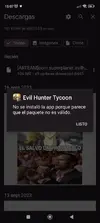
If you want use my mod you need to uninstall that GGmos lolwhen i open this game it will direct you to uninstall other app.. then force close
You know how to read ?

mondie16
New User

Randomphilia
New User
[Attachment removed from Quotes]
Name: Evil Hunter Tycoon
Version: 1.362
Root: No
Mod features:
1. Damage x1-100
2. Godmode
3. Loot x1-25
Install Steps:
1. Download & Install mod
2. Enable "DRAW OVER" or "DISPLAY POP-UP WINDOW" permission (if Android 6+)
3. Enable storage permission
4. Enjoy!
HOW TO ENABLE PERMISSION ON ANDROID
WHY BLACK/WHITE SCREEN/CRASHED?
- Open device "Settings"
- Go to APPS
- Scroll down to desired APP and TAP IT
- Go to "OTHER PERMISSIONS" or "ADVANCED PERMS" and tick "DRAW OVER" or "DISPLAY POP-UP WINDOW"
GAME STILL CRASHED, HOW TO SEND LOGS?
- Enable STORAGE permission
- Remove gameguardian or any similar memory tool
- Some device has battery optimization, disable it
- Go to folder /Android/data/game package name/files/mod_menu_crash_logs.txt
- Copy & paste or take a screenshot inside the logs, send it here
- Some device may have different dir (document files)
- Alternative way: Install matlogs app (required root device), open matlogs & click start record. Open the game wait for game crashed or few minutes and stop record.
Credits: Jacknator
Telegram: Update news
Playstore Link: Evil Hunter Tycoon - Apps on Google Play
[Hidden content]
Thank you for high quality mod. Can we get higher damage mod? up to 200 atleast?

Weee
New User
Hoangtiepkull
New User
How to fix itTheres a huge text on the screen that says "Evil Hunter Tycoon"
it looks like some of the old model of application where top of the screen is just a block of the application name, maybe you could fix it? pls.
@Jacknator


aomineci
New User
Share: