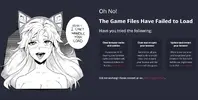
Exclusive 18+ Horny Villa Nutaku v55.1.1 [Currencies]

[Attachment removed from Quotes]
Name: Geile Villa
Version: 18.5e6
Wurzel: Nein

Mod-Funktionen:
1. Eingefrorene Währung, Energie

Bekanntes Problem: Manchmal friert das Spiel ohne Grund ein (getestet auf LDplayer 5 und 9 mit Original-Apk)

Installationsschritte:
1. Mod herunterladen und installieren
2. Aktivieren Sie die Berechtigung „DRAW OVER“ oder „DISPLAY POP-UP WINDOW“ ( bei Android 6+ ) .
3. Aktivieren Sie die Speicherberechtigung
4. Viel Spaß!

SO AKTIVIEREN SIE DIE BERECHTIGUNG AUF ANDROID
  • Gerät „Einstellungen“ öffnen
  • Gehen Sie zu APPS
  • Scrollen Sie nach unten zur gewünschten APP und tippen Sie darauf
  • Gehen Sie zu „ANDERE BERECHTIGUNGEN“ oder „ERWEITERTE PERMISSIONEN“ und aktivieren Sie „DRAW OVER“ oder „POP-UP-FENSTER ANZEIGEN“.
WARUM SCHWARZ/WEIßER BILDSCHIRM/ABSTURZ?
  • Aktivieren Sie die STORAGE-Berechtigung
  • Entfernen Sie Gameguardian oder ein ähnliches Speichertool
  • Einige Geräte verfügen über eine Akkuoptimierung. Deaktivieren Sie diese
Das Spiel ist immer noch abgestürzt. Wie kann ich Protokolle senden?
  • Gehen Sie zum Ordner /Android/data/game package name/files/mod_menu_crash_logs.txt
  • Kopieren Sie es und fügen Sie es ein oder machen Sie einen Screenshot in den Protokollen und senden Sie ihn hierher
  • Einige Geräte haben möglicherweise ein anderes Verzeichnis (Dokumentdateien).
  • Alternativer Weg: Installieren Sie die Matlogs-App (erforderliches Root-Gerät), öffnen Sie Matlogs und klicken Sie auf „Aufzeichnung starten“. Öffnen Sie das Spiel, warten Sie, bis das Spiel ein paar Minuten abgestürzt ist, und stoppen Sie die Aufzeichnung.

Credits: Jacknator
Telegramm: Neuigkeiten aktualisieren
Playstore-Link: Nutaku.net | Onlinespiele
[Versteckter Inhalt]

Post automatically merged:

Ich vermute, das ist A13, ich brauche eine Sondergenehmigung. Verwenden Sie die Suche bei der Einstellung „Sonderberechtigung“ / „Spezieller App-Zugriff“
Wow
Post automatically merged:

Post automatically merged:


Wow
Wow
Post automatically merged:

Wow
Post automatically merged:

[Attachment removed from Quotes]
Name: Geile Villa
Version: 18.5e6
Wurzel: Nein

Mod-Funktionen:
1. Eingefrorene Währung, Energie

Bekanntes Problem: Manchmal friert das Spiel ohne Grund ein (getestet auf LDplayer 5 und 9 mit Original-Apk)

Installationsschritte:
1. Mod herunterladen und installieren
2. Aktivieren Sie die Berechtigung „DRAW OVER“ oder „DISPLAY POP-UP WINDOW“ ( bei Android 6+ ) .
3. Aktivieren Sie die Speicherberechtigung
4. Viel Spaß!

SO AKTIVIEREN SIE DIE BERECHTIGUNG AUF ANDROID
  • Gerät „Einstellungen“ öffnen
  • Gehen Sie zu APPS
  • Scrollen Sie nach unten zur gewünschten APP und tippen Sie darauf
  • Gehen Sie zu „ANDERE BERECHTIGUNGEN“ oder „ERWEITERTE PERMISSIONEN“ und aktivieren Sie „DRAW OVER“ oder „POP-UP-FENSTER ANZEIGEN“.
WARUM SCHWARZ/WEIßER BILDSCHIRM/ABSTURZ?
  • Aktivieren Sie die STORAGE-Berechtigung
  • Entfernen Sie Gameguardian oder ein ähnliches Speichertool
  • Einige Geräte verfügen über eine Akkuoptimierung. Deaktivieren Sie diese
Das Spiel ist immer noch abgestürzt. Wie kann ich Protokolle senden?
  • Gehen Sie zum Ordner /Android/data/game package name/files/mod_menu_crash_logs.txt
  • Kopieren Sie es und fügen Sie es ein oder machen Sie einen Screenshot in den Protokollen und senden Sie ihn hierher
  • Einige Geräte haben möglicherweise ein anderes Verzeichnis (Dokumentdateien).
  • Alternativer Weg: Installieren Sie die Matlogs-App (erforderliches Root-Gerät), öffnen Sie Matlogs und klicken Sie auf „Aufzeichnung starten“. Öffnen Sie das Spiel, warten Sie, bis das Spiel ein paar Minuten abgestürzt ist, und stoppen Sie die Aufzeichnung.

Credits: Jacknator
Telegramm: Neuigkeiten aktualisieren
Playstore-Link: Nutaku.net | Onlinespiele
[Versteckter Inhalt]

Liebe
Post automatically merged:

😍
 
Last edited:
😲
Wow
Wow
 
[Attachment removed from Quotes]
Name: Horny Villa
Version: 18.6e
Root: No

Mod features:
1. Freezed currency, energy

Known issue: Sometimes the game freezed for no reason (tested on Ldplayer 5 & 9 with original apk)

Install Steps:
1. Download & Install mod
2. Enable "DRAW OVER" or "DISPLAY POP-UP WINDOW" permission (if Android 6+)
3. Enable storage permission
4. Enjoy!

HOW TO ENABLE PERMISSION ON ANDROID
  • Open device "Settings"
  • Go to APPS
  • Scroll down to desired APP and TAP IT
  • Go to "OTHER PERMISSIONS" or "ADVANCED PERMS" and tick "DRAW OVER" or "DISPLAY POP-UP WINDOW"
WHY BLACK/WHITE SCREEN/CRASHED?
  • Enable STORAGE permission
  • Remove gameguardian or any similar memory tool
  • Some device has battery optimization, disable it
GAME STILL CRASHED, HOW TO SEND LOGS?
  • Go to folder /Android/data/game package name/files/mod_menu_crash_logs.txt
  • Copy & paste or take a screenshot inside the logs, send it here
  • Some device may have different dir (document files)
  • Alternative way: Install matlogs app (required root device), open matlogs & click start record. Open the game wait for game crashed or few minutes and stop record.

Credits: Jacknator
Telegram: Update news
Playstore Link: Nutaku.net | Online games
[Hidden content]

Can you add mega merge
 
[Attachment removed from Quotes]
Name: Horny Villa
Version: 18.6e
Root: No

Mod features:
1. Freezed currency, energy

Known issue: Sometimes the game freezed for no reason (tested on Ldplayer 5 & 9 with original apk)

Install Steps:
1. Download & Install mod
2. Enable "DRAW OVER" or "DISPLAY POP-UP WINDOW" permission (if Android 6+)
3. Enable storage permission
4. Enjoy!

HOW TO ENABLE PERMISSION ON ANDROID
  • Open device "Settings"
  • Go to APPS
  • Scroll down to desired APP and TAP IT
  • Go to "OTHER PERMISSIONS" or "ADVANCED PERMS" and tick "DRAW OVER" or "DISPLAY POP-UP WINDOW"
WHY BLACK/WHITE SCREEN/CRASHED?
  • Enable STORAGE permission
  • Remove gameguardian or any similar memory tool
  • Some device has battery optimization, disable it
GAME STILL CRASHED, HOW TO SEND LOGS?
  • Go to folder /Android/data/game package name/files/mod_menu_crash_logs.txt
  • Copy & paste or take a screenshot inside the logs, send it here
  • Some device may have different dir (document files)
  • Alternative way: Install matlogs app (required root device), open matlogs & click start record. Open the game wait for game crashed or few minutes and stop record.

Credits: Jacknator
Telegram: Update news
Playstore Link: Nutaku.net | Online games
[Hidden content]

Wow
 
[Attachment removed from Quotes]
Name: Horny Villa
Version: 18.6e
Root: No

Mod features:
1. Freezed currency, energy

Known issue: Sometimes the game freezed for no reason (tested on Ldplayer 5 & 9 with original apk)

Install Steps:
1. Download & Install mod
2. Enable "DRAW OVER" or "DISPLAY POP-UP WINDOW" permission (if Android 6+)
3. Enable storage permission
4. Enjoy!

HOW TO ENABLE PERMISSION ON ANDROID
  • Open device "Settings"
  • Go to APPS
  • Scroll down to desired APP and TAP IT
  • Go to "OTHER PERMISSIONS" or "ADVANCED PERMS" and tick "DRAW OVER" or "DISPLAY POP-UP WINDOW"
WHY BLACK/WHITE SCREEN/CRASHED?
  • Enable STORAGE permission
  • Remove gameguardian or any similar memory tool
  • Some device has battery optimization, disable it
GAME STILL CRASHED, HOW TO SEND LOGS?
  • Go to folder /Android/data/game package name/files/mod_menu_crash_logs.txt
  • Copy & paste or take a screenshot inside the logs, send it here
  • Some device may have different dir (document files)
  • Alternative way: Install matlogs app (required root device), open matlogs & click start record. Open the game wait for game crashed or few minutes and stop record.

Credits: Jacknator
Telegram: Update news
Playstore Link: Nutaku.net | Online games
[Hidden content]

Update pls
 
good

[Attachment removed from Quotes]
Name: Horny Villa
Version: 18.6e4
Root: No

Mod features:
1. Freezed currency, energy

Known issue: Sometimes the game freezed for no reason (tested on Ldplayer 5 & 9 with original apk)

Install Steps:
1. Download & Install mod
2. Enable "DRAW OVER" or "DISPLAY POP-UP WINDOW" permission (if Android 6+)
3. Enable storage permission
4. Enjoy!

HOW TO ENABLE PERMISSION ON ANDROID
  • Open device "Settings"
  • Go to APPS
  • Scroll down to desired APP and TAP IT
  • Go to "OTHER PERMISSIONS" or "ADVANCED PERMS" and tick "DRAW OVER" or "DISPLAY POP-UP WINDOW"
WHY BLACK/WHITE SCREEN/CRASHED?
  • Enable STORAGE permission
  • Remove gameguardian or any similar memory tool
  • Some device has battery optimization, disable it
GAME STILL CRASHED, HOW TO SEND LOGS?
  • Go to folder /Android/data/game package name/files/mod_menu_crash_logs.txt
  • Copy & paste or take a screenshot inside the logs, send it here
  • Some device may have different dir (document files)
  • Alternative way: Install matlogs app (required root device), open matlogs & click start record. Open the game wait for game crashed or few minutes and stop record.

Credits: Jacknator
Telegram: Update news
Playstore Link: Nutaku.net | Online games
[Hidden content]
 
something went wrong with the official update
 

Attachments

  • Снимок экрана 2024-03-30 164509.webp
    Снимок экрана 2024-03-30 164509.webp
    67.9 KB · Views: 39
Back
Top Bottom