


Exclusive Life in Adventure v1.2.42 [5+ FEATURES]
You are using an out of date browser. It may not display this or other websites correctly.
You should upgrade or use an alternative browser.
You should upgrade or use an alternative browser.
KN1582
New User
It seems that high damage is always on, i have 1000 dps at the start of every game. Pls check.
I afraid that reinstall would also delete save file so i havent try that yet.
I afraid that reinstall would also delete save file so i havent try that yet.


Yule
Advance Member
It seems that high damage is always on, i have 1000 dps at the start of every game. Pls check.
I afraid that reinstall would also delete save file so i havent try that yet.

saku
New User
Zengzeng
New User

Awii
New User

Yifbuh
Member
[Attachment removed from Quotes]
Name: Life in Adventure
Version: 1.2.8
Root: No
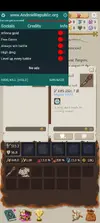
Mod features:
1. Free purchase gems - Click on any gems package then click cancel
2. Infinite gold
3. Always win battle
4. High damage
5. Level up every battle
Install Steps:
1. Download & Install mod
2. Enable "DRAW OVER" or "DISPLAY POP-UP WINDOW" permission (if Android 6+)
3. Enjoy!
HOW TO ENABLE PERMISSION ON ANDROID
- Open device "Settings"
- Go to APPS
- Scroll down to desired APP and TAP IT
- Go to "OTHER PERMISSIONS" or "ADVANCED PERMS" and tick "DRAW OVER" or "DISPLAY POP-UP WINDOW"
- IF YOU DON'T DO THIS MOD WILL CRASH
Credits: Jacknator
Playstore Link: Life in Adventure - Apps on Google Play
[Hidden content]
Works really good!! Need some gold though


Renmar
New User
Hadziqjr
New User
OP
OP


Haru Kazama
New User
Thanks for the mod but i just wanna say that your download link is very tedious it is composed with multiple ads and viruses in every click.

Ydrje31Fan6BoY
New User

NOIRR0
New User

Seber
New User
OP
OP
Damas11
Member
[Attachment removed from Quotes]
Name: Life in Adventure
Version: 1.2.11
Root: No
Mod features:
1. Free purchase gems - Click on any gems package then click cancel
2. Infinite gold
3. Always win battle
4. Damage x100
5. Level up every battle
6. Godmode
Install Steps:
1. Download & Install mod
2. Enable "DRAW OVER" or "DISPLAY POP-UP WINDOW" permission (if Android 6+)
3. Enjoy!
HOW TO ENABLE PERMISSION ON ANDROID
- Open device "Settings"
- Go to APPS
- Scroll down to desired APP and TAP IT
- Go to "OTHER PERMISSIONS" or "ADVANCED PERMS" and tick "DRAW OVER" or "DISPLAY POP-UP WINDOW"
- IF YOU DON'T DO THIS MOD WILL CRASH
Credits: Jacknator
Playstore Link: Life in Adventure - Apps on Google Play
[Hidden content]
Good

SotN
New User
Somehow i can't get it to work, always freeze at main menu then crash afterward
YourAbyssalLove
New User
THELIONSMITH
New User

Bbadak888
Member
[Attachment removed from Quotes]
Name: Life in Adventure
Version: 1.2.11
Root: No
Mod features:
1. Free purchase gems - Click on any gems package then click cancel
2. Infinite gold
3. Always win battle
4. Damage x100
5. Level up every battle
6. Godmode
Install Steps:
1. Download & Install mod
2. Enable "DRAW OVER" or "DISPLAY POP-UP WINDOW" permission (if Android 6+)
3. Enjoy!
HOW TO ENABLE PERMISSION ON ANDROID
- Open device "Settings"
- Go to APPS
- Scroll down to desired APP and TAP IT
- Go to "OTHER PERMISSIONS" or "ADVANCED PERMS" and tick "DRAW OVER" or "DISPLAY POP-UP WINDOW"
- IF YOU DON'T DO THIS MOD WILL CRASH
Credits: Jacknator
Playstore Link: Life in Adventure - Apps on Google Play
[Hidden content]
Help.. Mine always crash on start page
Share: