

Outdated LotR: Heroes of Middle-earth™ v1.7.3.1462687 [3+ FEATURES]
- Thread starter Jacknator
- Start date
-
- Tags
- lord of the ring lord of the ring apk lord of the ring cheat lord of the ring hack lord of the ring mod lotr heroes of middle earth lotr heroes of middle earth apk lotr heroes of middle earth cheat lotr heroes of middle earth hack lotr heroes of middle earth mod lotr: heroes of middle-earth™ lotr: heroes of middle-earth™ apk lotr: heroes of middle-earth™ cheat lotr: heroes of middle-earth™ hack lotr: heroes of middle-earth™ mod
You are using an out of date browser. It may not display this or other websites correctly.
You should upgrade or use an alternative browser.
You should upgrade or use an alternative browser.
artofnoob
New User
You use LDplayer 4.0?The game constantly crashes from the account due to advertising
Pudndj
New User
Everything works, but as soon as the advertisement comes out, the sonect with the account is lostYou use LDplayer 4.0?
Samaellsa
New User
when i try to install latest unsigned version of mod i get : app not installed; the package appears to be corrupt
Last edited:
artofnoob
New User
OP
OP


when i try to install latest unsigned version of mod i get : app not installed; the package appears to be corrupt
There are several method to login with google login, google login can be complicated for some newbies. I do prefer other login but google is the last choices
Method #1 is consider the best option and it will work 99% of time
Requirement:
GitHub - LSPosed/CorePatch: Disable signature verification For Android
Method 4
Method #1 is consider the best option and it will work 99% of time
Requirement:
- Rooted device
- Patched device
- Unsigned mod apk
- Lucky Patcher (might need several tries to applied on Android 9+ until success, warning might brick your device)
- Core Patch
- Use both is also an option
- Install the game from Playstore or original apk from apkcombo
- Open the game and login your account
- Close the game and install mod over without uninstall the original
- Install original version of the game. Log-in your Google account as normal
- Install Titanium Backup. Go to MENU/Preferences
- In Backup setting: tick Always for Backup app external data
- In Restore setting: tick Restore app external data
- Then back-up the game you want
- Uninstall the game and install the mod
- Go to Titanium backup and choose the game to restore
- Choose Restore APP DATA ONLY
- After finishing restore, log-in the mod game and enjoy
GitHub - LSPosed/CorePatch: Disable signature verification For Android
Method 4
- Directly using unsigned apk to login google but not all game will work with this method
- If you having trouble to even install unsigned apk, just use signed or sign the unsigned apk yourself and combine with method #1
Samaellsa
New User
it is rooted, patched, and unsigned app; i am using another apk from other site without problemsThere are several method to login with google login, google login can be complicated for some newbies. I do prefer other login but google is the last choices
Method #1 is consider the best option and it will work 99% of time
Requirement:
You can patched your device with
- Rooted device
- Patched device
- Unsigned mod apk
Method 1
- Lucky Patcher (might need several tries to applied on Android 9+ until success, warning might brick your device)
- Core Patch
- Use both is also an option
Method 2
- Install the game from Playstore or original apk from apkcombo
- Open the game and login your account
- Close the game and install mod over without uninstall the original
Method 3
- Install original version of the game. Log-in your Google account as normal
- Install Titanium Backup. Go to MENU/Preferences
- In Backup setting: tick Always for Backup app external data
- In Restore setting: tick Restore app external data
- Then back-up the game you want
- Uninstall the game and install the mod
- Go to Titanium backup and choose the game to restore
- Choose Restore APP DATA ONLY
- After finishing restore, log-in the mod game and enjoy
GitHub - LSPosed/CorePatch: Disable signature verification For Android
Method 4
Method 5
- Directly using unsigned apk to login google but not all game will work with this method
- If you having trouble to even install unsigned apk, just use signed or sign the unsigned apk yourself and combine with method #1
OP
OP
Use method #5 then, if you dont like you can continue use from other site fine by mei am using another apk from other site without problems
Samaellsa
New User
well i wanted to try out this one too, but if it doesn t work, i have no choice but to abadon it, can t apply method 5
omargod
New User


alexsvdj
New User

SyntaxError
New User


shaunjames1984
New User

Samaellsa
New User
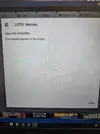
thr signed versions work fine, but when i try to install the unsigned one, i get this error; any one else had it? found a workaround? @Jacknator maybe some help bro?
Attachments
OP
OP
Im using Ld5 android 7, so if u really want use this unsigned mod use same as mine thenthr signed versions work fine, but when i try to install the unsigned one, i get this error; any one else had it? found a workaround? @Jacknator maybe some help bro?
Samaellsa
New User
i have bluestakcs but i ll try that one also, do i have to root ldplayer also? some tutorials on how to do it?
OP
OP
Root and Luckypatcher ofcz, can find tutorial on google. Im sure you will find onei have bluestakcs but i ll try that one also, do i have to root ldplayer also? some tutorials on how to do it?
Samaellsa
New User
OP
OP
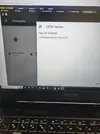
Show me 3 option luckypatcherusing ld player 5 now, same thing... any other suggestions?

papajes
New User
Hi,Try new unsigned apk
Will I able to retrieve/continue my local account when I installed the unsigned apk?
Share: