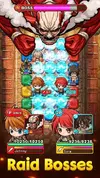
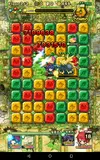
Mega Monster Legends - Attack on Titan
Version 1.06
Root Needed? No
MODS
1.) High Damage
2.) High Defense
3.) HP Frozen
Installation Guide
You will need OBB trick to play this game. First you must install the Playstore Version(Link above) and complete tutorial. Make sure you sign into an account on the game. Rooted phones can use Google+ login. Nonrooted must use Facebook method or create an account using their service(NOT GUEST ACCOUNT). Then go into your Internal Storage and look for the folder your OBB files go into. Usually it's saved in /sdcard or Android folder. Open that and then "OBB", you will see a folder called "com.ultrahands.bklmg.google". Save/copy that folder to somewhere else or rename it to something you will remember to change back later, for example 'com.ultrahands.bklmg.X'. Because some phones require you to uninstall the original game in order to replace it with a modded version(Different signatures cause conflicting package errors). Install the mod. Once you install the modded version of the game, you will then rename or place the OBB back into it's original directory(Mine is Internal Storage>Android>OBB). Everything should now be working.
***If you get an error at the login screen saying 'There was a problem when downloading the app. Please re-install the game". That means that you didn't put the OBB folder back correctly. Follow my installation guide exactly.
Credits: Me. Modded myself and bypassed
Playstore Link - Link is Broken
Downloads
SIGNED MOD - File sharing and storage made simple
UNSIGNED MOD - File sharing and storage made simple