Approved Net. Reflector tutorial by EMT

hey stelau4 got a question trying to follow your tut but 3 different apk i wanna try to mod don't have this?
5. then open followed by data then managed then there you have it your dlls
is that does that make it unmoddable? or did i do something wrong?
Means it's not unity game check lib folder
 
Hey all im gonna whip up a quick tut for you guys has so many ask me how to mod so here we go

Tool's we require
1.Net. reflector .NET Reflector - Download
2.Reflexil (
addon for reflector) LInk here reflexil.1.9.AIO.bin.zip
3.Winrar
4.Signing tool (
apkmultitool)
5.An apk
CAN FIND ALL TOOLS IN GOOGLE
Today im showing how to mod currency in Adventure town


STEP 1
1. Download apk can find eaither on apkpure or playstore
2. Add apk to archive we do that but using winrar by right clicking on apk
3. open archive and double click on apk name
4. Once done you will see a few files the one you need is assets so click that
5. then open followed by data then managed then there you have it your dlls
6. Create folder on desktop (
called what ever you want)
7. Drag and drop
ALL dlls into that folder you created
Thats the first step out the way now time to move on to the second step


STEP 2
1. open net.reflector
2. First off before we mod go to tools has shown in
pic 1
3. addins has shown in pic 1
4. Click the + sign and add reflexil in has shown in pic 2
[Attachment removed from Quotes] [Attachment removed from Quotes]
Pic 1 Pic 2

STEP 3
Now down to the modding guys which is the fun and best part
1. Open up files in reflector and then open assemblys has show in picture

[Attachment removed from Quotes]
2. Find the dll's you dragged and dropped to what ever folder you called it and click open
3. Now go tools and click reflexil has shown in picture

[Attachment removed from Quotes]
4. Click the icon has shown in picture
[Attachment removed from Quotes]
5. Then press ctrl+m (this allows you to search for members these are what we mod)
6. A new search box opens up in top right of reflector has shown in picture
( we search here)
[Attachment removed from Quotes]
7. In that search bar type get_coins has you can see we get two hits shown in picture
[Attachment removed from Quotes]
8. We want the top one LocalPlayer so double click that one
9. This will now open coins up in object browser on left hand side get_coins() : int32

[Attachment removed from Quotes]
10. This is where reflexil comes into play now has you see in picture a new box is open called Sebasten LEBRETON's Reflexil (this is were we edit)
[Attachment removed from Quotes]
11. Right click where you see all the opcodes and delete all shown in picture
[Attachment removed from Quotes]
12. Now right click in empty space and click create new you will see a box
13. In opcode type ldc.i4 in operand type find int32 and click on it in operand type a number like this 87678654 you can use any number
BUT MUST BE 8 NUMBERS MAX once done click append has show in picture
http://i.imgur.com/Fvvzvf1.jpg click link for picture
14. Click in empty space again and in opcode just type ret and click append has shown in picture
http://i.imgur.com/vH6Grzj.jpg Click link for picture
15. Where you got coins has you can see you got cash and so on do the same for that just follow these steps again from 11 to 14
16. On object browser side scroll all the way back to the top to you see Assembly-CSharp.dll and right click it has shown in picture

http://i.imgur.com/jKIhyie.jpg Click link for picture
17. Now click reflexil and save then remove patch from the end of the end and add .dll and then press save file if it asks to overright then click yes
http://imgur.com/a/RTeyi Click link for picture

STEP 4
1. Open up your archive and find the dll's you added to the folder on desktop
2. Drag and drop the Assembly-CSharp.dll in with all the dlls
3. Update archive has it asks
4. Now your apk is ready for signing


STEP 5
1. Open up apkmultitool
2. Find folder called signing (
if you followed the tut propley on how to install you will see this)
3. Drag and drop apk from archive to the signing folder
4. Then double click script
5. Once in there hit 18 then enter and thats your apk signing
6. Once done apkmultitool will automaticaly close
7. Open sign folder and Drag and drop apk to device for testing

Sorry i could not add rest of photos guys has im limited but this is a rough guide on how to mod a simple function for a unity game there are more complicated functions that can be modded but you will pick that up has you mod more

I give a massive thank you to @hiyall360 who has showed and learned me so much if it wasn't for this dude i wouldn't be here now. My other thanks is to @fantasy235 who also has tough me so much so love to him too

SORRY ABOUT PICTURES I TOOK FROM PHONE
Nice little tutorial there mate
 
Images too small to follow here. On mobile they look perfect but too small on pc :/
 
wew .... a lot to memorize ... I hope theres a video because theres sometimes I dont understand huhu sorry :) but trying :') game adik -->> want to be a hacker .. I didnt loose hope haha ...
finally a I found this website where it can teach me how :') ...
 
Sir @stelau4 i just wondering how to mod online game damage, hp, and defense? Like league of underworld.
can you teach me plss?
just send me screenshots and ill try to understand.
thank you. Waiting to your response
respectfully yours,
 
1. i don't know what is ldt.i4 or ret. Can i learn it where?
2. when i play game, gold and cash don't change. No down or up if i collect gold or buy item =))))))
3. why we must sign apk? what is that "sign"?
Hope you answer. Thank you so much :)[/QUOTE]
1. A ldc.i4 is a int32 an int32 can have numbers ranging from 1 to 99999999 ret means return so you return the ldc.i4
So be like this
ldc.i4 99999999
Ret

2. This may be because the function you modded maybe wrong or you've edit wrong in some games currency is server side so therefore may require to edit packets.

3. Sign apk because we can then use on unrooted devices signing an apk requires java. There are 2 things you must remember signed mod and unsigned mod. An unsigned mod requires root which then allows the user to login via Google now with signed mod you can't you can only login via game Dev login or Facebook but what you must remember is the signature will differ from the plays tore version
 
Nice tutorial, good info there, enjoyed it :)
Just have one question, it's probably way beyond the scope of this tutorial. But, is it possible to do this with a server sided game "such as avabel". Just curious as to if it's possible.
 
help me i not find value Coins

Gold
Gems
Diamonds
Cash
Money
Bucks
get_XXX


thanks!

the purpose of tutorial is so that you can help yourself and learn from it.
if someone else doing it for you, then you'd be better off putting a request (on appropriate section).
 
the purpose of tutorial is so that you can help yourself and learn from it.
if someone else doing it for you, then you'd be better off putting a request (on appropriate section).
I have followed guide other game , but not find value, i post file dll game run fast test search value coins help me thanks
 
can u give me suggestion what alternative apps for signing apk? or can u put the link of apkmultitool that are working for u guys? coz I search it on google and I downloaded the apk multitool but its error when I always try to open it. That's why I need ur help guys. coz I'm at the signing stage pls help me to signed my first modified apk thanks in advance!
 
hi ad. im newbie in modding so i downloaded all program and try do it.
but i'm saw in youtube new mod... im try find sub for mod... but longtime test and test... all not working.
Ad can help me Sub need mod where, and how do that...

link video :
link apk: MU Origin - VN - Android Apps on Google Play

View attachment 6587

* I'm Try mod "upgrade items 100% uplevel no down". in video U saw system game
notification Item "upgrade failed" but item "successful upgrade".
- in video 0:28s - item +5 "upgrade failed" but item + 6. I'm want mod it...

I'm find sub maybe true... but i dont know how to change it... pls help me.
im pic more sub im search.
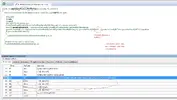
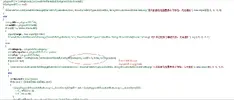
Capture2.webp Capture3.webp

code :EquipUpgradeMouseLeftButtonUp ...."successful upgrade".
Code:
private void EquipUpgradeMouseLeftButtonUp(object sender, MouseEvent e)
{
    <EquipUpgradeMouseLeftButtonUp>c__AnonStoreyD4 yd = new <EquipUpgradeMouseLeftButtonUp>c__AnonStoreyD4 {
        <>f__this = this
    };
    Super.RemoveSystemNaviBox(base.Container, Global.GetLang("装备进阶UI"), null);
    if (this.equipIcon[0].Count <= 0)
    {
        GGameInfocs.AddGameInfoMessage(GameInfoTypeIndexes.Error, ShowGameInfoTypes.ErrAndBox, StringUtil.substitute(Global.GetLang("请将要进阶的装备放到装备位置"), new object[0]), 0, -1, -1, 0);
    }
    else
    {
        yd.goodsData = U3DUtils.AS<GIcon>(this.equipIcon[0][0]).ItemObject as GoodsData;
        yd.goodsData = Global.GetGoodsDataByDbID(yd.goodsData.Id, null);
        if (yd.goodsData == null)
        {
            GGameInfocs.AddGameInfoMessage(GameInfoTypeIndexes.Error, ShowGameInfoTypes.ErrAndBox, StringUtil.substitute(Global.GetLang("进阶的装备不在背包中,无法进阶"), new object[0]), 0, -1, -1, 0);
        }
        else
        {
            yd.goodVO = ConfigGoods.GetGoodsXmlNodeByID(yd.goodsData.GoodsID);
            if (yd.goodVO == null)
            {
                GGameInfocs.AddGameInfoMessage(GameInfoTypeIndexes.Error, ShowGameInfoTypes.ErrAndBox, StringUtil.substitute(Global.GetLang("进阶的装备在配置表中不存在,无法进阶"), new object[0]), 0, -1, -1, 0);
            }
            else
            {
                string title = yd.goodVO.Title;
                int suitID = yd.goodVO.SuitID;
                if (suitID >= Global.MaxSuitID)
                {
                    object[] args = new object[] { title };
                    GGameInfocs.AddGameInfoMessage(GameInfoTypeIndexes.Error, ShowGameInfoTypes.ErrAndBox, StringUtil.substitute(Global.GetLang("【{0}】已经到了最高阶数,无法进阶"), args), 0, -1, -1, 0);
                }
                else
                {
                    int categoriy = yd.goodVO.Categoriy;
                    int toOccupation = yd.goodVO.ToOccupation;
                    int toSex = yd.goodVO.ToSex;
                    GoodVO dvo = ConfigGoods.GetGoodsXmlNodeByCatSuitID(categoriy, suitID + 1, toSex, toOccupation);
                    if (dvo == null)
                    {
                        GGameInfocs.AddGameInfoMessage(GameInfoTypeIndexes.Error, ShowGameInfoTypes.ErrAndBox, StringUtil.substitute(Global.GetLang("下阶装备在配置表中不存在,无法进阶"), new object[0]), 0, -1, -1, 0);
                    }
                    else
                    {
                        int toLevel = dvo.ToLevel;
                        if (toLevel > Global.Data.roleData.Level)
                        {
                            <EquipUpgradeMouseLeftButtonUp>c__AnonStoreyD3 yd2 = new <EquipUpgradeMouseLeftButtonUp>c__AnonStoreyD3 {
                                <>f__ref$212 = yd,
                                <>f__this = this
                            };
                            object[] objArray2 = new object[] { toLevel, Global.Data.roleData.Level };
                            string message = StringUtil.substitute(Global.GetLang("进阶后的装备使用要求的级别是{0}, 高于您目前的{1}级, 进阶成功后,您将暂时无法佩戴新装备到身上"), objArray2) + StringUtil.substitute(Global.GetLang(", 继续进阶吗?"), new object[0]);
                            yd2.messageBoxWindow = Super.ShowMessageBox(base.Container, 1, Global.GetLang("提示"), message, (((int) base.Container.Width) - 0xfd) / 2, (((int) base.Container.Height) - 0xab) / 2, (int) base.Container.Width, (int) base.Container.Height, 0.01, new Vector3(), null, null);
                            yd2.messageBoxWindow.ChildWindowClose = new ChildWindowCloseEventHandler(yd2.<>m__157);
                        }
                        else
                        {
                            this.TryStartEquipUpgrade(yd.goodsData, yd.goodVO);
                        }
                    }
                }
            }
        }
    }
}


code :InputEquipMouseLeftButtonUp ....."upgrade failed"
Code:
private void InputEquipMouseLeftButtonUp(object sender, MouseEvent e)
{
    if (Super.RemoveSystemNaviBox(base.Container, Global.GetLang("装备进阶UI"), null))
    {
        string str2;
        int num;
        int num2;
        this.ToHintStartUpgrade = true;
        Global.ParsePropNameInfo(Global.GetTaskPropNameByID(0x4fbb), out str2, out num, out num2);
        GoodVO goodsXmlNodeByID = ConfigGoods.GetGoodsXmlNodeByID(ConfigGoods.FindGoodsIDByName(str2));
        goodsXmlNodeByID = ConfigGoods.GetGoodsXmlNodeByCatSuitID(goodsXmlNodeByID.Categoriy, goodsXmlNodeByID.SuitID - 1, goodsXmlNodeByID.ToSex, goodsXmlNodeByID.ToOccupation);
        if (goodsXmlNodeByID == null)
        {
            Super.AddHintParcelGoodsPos(goodsXmlNodeByID.ID, 0, 0);
        }
    }
    (sender as GIcon).Cursor = Cursors.Auto;
    ObjectClickGetingMgr.StartClickGetThing(3, e);
}


  private void InputEquipMouseLeftButtonUp(object sender, MouseEvent e)
{
    if (Super.RemoveSystemNaviBox(base.Container, Global.GetLang("装备进阶UI"), null))
    {
        string str2;
        int num;
        int num2;
        this.ToHintStartUpgrade = true;
        Global.ParsePropNameInfo(Global.GetTaskPropNameByID(0x4fbb), out str2, out num, out num2);
        GoodVO goodsXmlNodeByID = ConfigGoods.GetGoodsXmlNodeByID(ConfigGoods.FindGoodsIDByName(str2));
        goodsXmlNodeByID = ConfigGoods.GetGoodsXmlNodeByCatSuitID(goodsXmlNodeByID.Categoriy, goodsXmlNodeByID.SuitID - 1, goodsXmlNodeByID.ToSex, goodsXmlNodeByID.ToOccupation);
        if (goodsXmlNodeByID == null)
        {
            Super.AddHintParcelGoodsPos(goodsXmlNodeByID.ID, 0, 0);
        }
    }
    (sender as GIcon).Cursor = Cursors.Auto;
    ObjectClickGetingMgr.StartClickGetThing(3, e);
}
 
Last edited:
Back
Top Bottom