


Exclusive Pixel Fantasia: Idle RPG v3.0.27 [4+ FEATURES]
You are using an out of date browser. It may not display this or other websites correctly.
You should upgrade or use an alternative browser.
You should upgrade or use an alternative browser.

cattogetto
Active Member

khh18011
New User

vanthai
New User
T đã cài APK unsign trên vphone gaga và cả vmos đã root và vá nhưng không thành công, xin hãy giúp tôi, làm ơnĐã cập nhật phiên bản mới nhất!
vanthai
New User
Bạn, làm ơn cho hỏi bạn cài mod trên tình giả lập nào vậy, hay là cài trên điện thoại gốc,ngay cả khi có mod, game vẫn mất quá nhiều thời gian để nâng cấp mọi thứ, Hãy tưởng tượng chơi game này mà không có mod lol
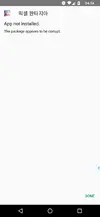
vmos a 7.1.2 core pacth và lucky patcher luôn bị lỗi thế này
Attachments
Last edited:
tohanh0001
Active Member
mình không rành cái vmos lắmBạn, làm ơn cho hỏi bạn cài mod trên tình giả lập nào vậy, hay là cài trên điện thoại gốc,
vmos a 7.1.2 core pacth và lucky patcher luôn bị lỗi thế này
mình chơi trên giả lập LDPlayer
mình tải game trên CH Play, sau đó đăng nhập tài khoản google, rồi sử dụng X-Plore, vào thay đổi tên OBB của game, xóa game, cài bản mod signed, vào X-plore đổi tên OBB lại như cũ, vào game, bấm đăng nhập là được
mỗi lần vô chơi là phải làm lại từng bước như vậy

vanthai
New User
Ồ, cám ơn bạn rất nhiều, trc mình sài bản mod khác phải tắt root cài đi cài lại bản APK 2gb mỗi lần chơi nữa cơ, để mình thử cách của bạn xem hiệu quả ko, chứ APK unsign của wed này khó cài quámình không rành cái vmos lắm
mình chơi trên giả lập LDPlayer
mình tải game trên CH Play, sau đó đăng nhập tài khoản google, rồi sử dụng X-Plore, vào thay đổi tên OBB của game, xóa game, cài bản mod signed, vào X-plore đổi tên OBB lại như cũ, vào game, bấm đăng nhập là được
mỗi lần vô chơi là phải làm lại từng bước như vậy
Cám ơn bạn đã rep
bora
New User
[Attachment removed from Quotes]
Name: Pixel Fantasia: Idle RPG
Version: 2.0.57
Root: Yes
Mod features:
1. Unlimited damage
2. Godmode
3. Fast cleared dungeon
4. Freezed currency etc
Install Steps:
1. Download & Install mod
2. Enable "DRAW OVER" or "DISPLAY POP-UP WINDOW" permission (if Android 6+)
3. Enable storage permission
4. Enjoy!
HOW TO ENABLE PERMISSION ON ANDROID
WHY BLACK/WHITE SCREEN/CRASHED?
- Open device "Settings"
- Go to APPS
- Scroll down to desired APP and TAP IT
- Go to "OTHER PERMISSIONS" or "ADVANCED PERMS" and tick "DRAW OVER" or "DISPLAY POP-UP WINDOW"
GAME STILL CRASHED, HOW TO SEND LOGS?
- Enable STORAGE permission
- Remove gameguardian or any similar memory tool
- Remove adblocker
- Some device has battery optimization, disable it
- Go to folder /Android/data/game package name/files/mod_menu_crash_logs.txt
- Copy & paste or take a screenshot inside the logs, send it here
- Some device may have different dir (document files)
- Alternative way: Install matlogs app (required root device), open matlogs & click start record. Open the game wait for game crashed or few minutes and stop record.
There are several method to login with google login, google login can be complicated for some newbies. I do prefer other login but google is the last choices
Method #1 is consider the best option and it will work 99% of time
Requirement:
You can patched your device with
- Rooted device
- Patched device
- Unsigned mod apk
Method 1
- Lucky Patcher (might need several tries to applied on Android 9+ until success, warning might brick your device)
- Core Patch
- Use both is also an option
Method 2
- Install the game from Playstore or original apk from apkcombo
- Open the game and login your account
- Close the game and install mod over without uninstall the original
Yöntem 3
- Install original version of the game. Log-in your Google account as normal
- Install Titanium Backup. Go to MENU/Preferences
- In Backup setting: tick Always for Backup app external data
- In Restore setting: tick Restore app external data
- Then back-up the game you want
- Uninstall the game and install the mod
- Titanium yedeklemesine gidin ve geri yüklenecek oyunu seçin
- YALNIZCA UYGULAMA VERİLERİNİ Geri Yükle'yi seçin
- Geri yüklemeyi tamamladıktan sonra mod oyununa giriş yapın ve keyfini çıkarın
GitHub - LSPosed/CorePatch: Android için imza doğrulamayı devre dışı bırakın
Yöntem 4
Yöntem 5
- Google'a giriş yapmak için doğrudan imzasız apk'yi kullanmak ancak tüm oyunlar bu yöntemle çalışmaz
[/BİR ŞEYİN ÖNCEDEN REKLAMI]
- İmzasız apk'yi yüklemekte bile sorun yaşıyorsanız, imzalı kullanın veya imzasız apk'yi kendiniz imzalayın ve 1 numaralı yöntemle birleştirin.
Kredi bilgileri: Jacknator
Telegram: Haberleri güncelleyin
Playstore Link: Pixel Fantasia: Idle RPG OYUNU - Google Play'de Uygulamalar
[Gizli İçerik]
Update please v2.0.60 @Jacknator
Last edited:
ekrcu
New User

DQM
New User
blackwolf7653
New User
Nugie888
Member
SangB0
New User
lovecmy
New User


IpanPanjol
New User
[Attachment removed from Quotes]
Name: Pixel Fantasia: Idle RPG
Version: 2.0.63
Root: Yes
Mod features:
1. Unlimited damage
2. Godmode
3. Fast cleared dungeon
4. Freezed currency etc
Install Steps:
1. Download & Install mod
2. Enable "DRAW OVER" or "DISPLAY POP-UP WINDOW" permission (if Android 6+)
3. Enable storage permission
4. Enjoy!
HOW TO ENABLE PERMISSION ON ANDROID
WHY BLACK/WHITE SCREEN/CRASHED?
- Open device "Settings"
- Go to APPS
- Scroll down to desired APP and TAP IT
- Go to "OTHER PERMISSIONS" or "ADVANCED PERMS" and tick "DRAW OVER" or "DISPLAY POP-UP WINDOW"
GAME STILL CRASHED, HOW TO SEND LOGS?
- Enable STORAGE permission
- Remove gameguardian or any similar memory tool
- Some device has battery optimization, disable it
- Go to folder /Android/data/game package name/files/mod_menu_crash_logs.txt
- Copy & paste or take a screenshot inside the logs, send it here
- Some device may have different dir (document files)
- Alternative way: Install matlogs app (required root device), open matlogs & click start record. Open the game wait for game crashed or few minutes and stop record.
Credits: JacknatorThere are several method to login with google login, google login can be complicated for some newbies. I do prefer other login but google is the last choices
Method #1 is consider the best option and it will work 99% of time
Requirement:
You can patched your device with
- Rooted device
- Patched device
- Unsigned mod apk
Method 1
- Lucky Patcher (might need several tries to applied on Android 9+ until success, warning might brick your device)
- Core Patch
- Use both is also an option
Method 2
- Install the game from Playstore or original apk from apkcombo
- Open the game and login your account
- Close the game and install mod over without uninstall the original
Method 3
- Install original version of the game. Log-in your Google account as normal
- Install Titanium Backup. Go to MENU/Preferences
- In Backup setting: tick Always for Backup app external data
- In Restore setting: tick Restore app external data
- Then back-up the game you want
- Uninstall the game and install the mod
- Go to Titanium backup and choose the game to restore
- Choose Restore APP DATA ONLY
- After finishing restore, log-in the mod game and enjoy
GitHub - LSPosed/CorePatch: Disable signature verification For Android
Method 4
Method 5
- Directly using unsigned apk to login google but not all game will work with this method
- If you having trouble to even install unsigned apk, just use signed or sign the unsigned apk yourself and combine with method #1
Telegram: Update news
Playstore Link: Pixel Fantasia: Idle RPG GAME - Apps on Google Play
[Hidden content]
please update to zygisk brother
c54b21th
New User

asttt
Member
OP
OP


Good, use that mod. Dont use mine lool[Public] Pixel Fantasia: Idle RPG GAME v2.0.63 MOD MENU -> no error
OP
OP

abnkkbsnkozenki
New User
I tried it and followed the instruction with luck patch but still can't log in with google or bypass it.Updated to latest version!
Share: