


Exclusive The Legend of Neverland (SEA/Global/KR/JP/InfinityLand) [Godmode]
You are using an out of date browser. It may not display this or other websites correctly.
You should upgrade or use an alternative browser.
You should upgrade or use an alternative browser.
- Status
- Not open for further replies.


tiuzen01
New User
Is there any posibility to make flower fairy pull high chances to pullHope this still works

Aljan14
New User
PLEASE UPDATE SEA SERVER. CRASHING CONSTANTLY. AND PLEASE BRING BACK FAIRY NO CD AND FIX GODMODE PEOPLE CAN STILL ATTACK ON SHRINE RIVALRY AND ON STARLEAF.
OP
OP


ZA3EM
New User
zczc1
New User
The Korean version has been updated, so it's different from the store version and the mod version.Dumb people just doesnt listen or read
Yondaime225
New User
Bolly
New User
Brother, please make an improvement on this mod, CD, Damage, please...Dumb people just doesnt listen or read
allen1429
New User
allen1429
New User
[Attachment removed from Quotes]
Name: The Legend of Neverland
SEA Version: 1.17.23120414
Global Version: 1.17.23120803
KR Version: 1.17.23110311
JP Version: 1.17.23110309
TW Version: 1.17.23120415
Root: No
Mod features:
1. Semi godmode
• Some mobs/bosses with melee atk able to hit you still • May or may not work on some content2. Fairy no cd
3. Damage x2
4. Mspd
Install Steps:
1. Download & Install mod
2. Enable "DRAW OVER" or "DISPLAY POP-UP WINDOW" permission (if Android 6+)
3. Enjoy!
HOW TO ENABLE PERMISSION ON ANDROID
WHY BLACK/WHITE SCREEN/CRASHED ?
- Open device "Settings"
- Go to APPS
- Scroll down to desired APP and TAP IT
- Go to "OTHER PERMISSIONS" or "ADVANCED PERMS" and tick "DRAW OVER" or "DISPLAY POP-UP WINDOW"
- IF YOU DON'T DO THIS MOD WILL CRASH
- Enable STORAGE permission!
GAME STILL CRASHED, HOW TO SEND LOGS ?
- Enable STORAGE permission
- Mod does not support VM
- Remove gameguardian or any similar memory tool
- Remove adblocker
- Go to folder /Android/data/game package name/files/mod_menu_crash_logs.txt
- Copy and paste in the logs, send it here
- Or take a screenshot inside the logs.txt
Credits: Jacknator
Telegram: Update news
[Hidden content]
Still working??
sebseb
New User
OP
OP
zczc1
New User

Norikomoon
New User
[Attachment removed from Quotes]
Name: The Legend of Neverland
SEA Version: 1.17.23120414
Global Version: 1.17.23120803
KR Version: 1.17.23110311
JP Version: 1.17.23110309
TW Version: 1.17.23120415
Root: No
Mod features:
1. Semi godmode
• Some mobs/bosses with melee atk able to hit you still • May or may not work on some content2. Fairy no cd
3. Damage x2
4. Mspd
Install Steps:
1. Download & Install mod
2. Enable "DRAW OVER" or "DISPLAY POP-UP WINDOW" permission (if Android 6+)
3. Enjoy!
HOW TO ENABLE PERMISSION ON ANDROID
WHY BLACK/WHITE SCREEN/CRASHED ?
- Open device "Settings"
- Go to APPS
- Scroll down to desired APP and TAP IT
- Go to "OTHER PERMISSIONS" or "ADVANCED PERMS" and tick "DRAW OVER" or "DISPLAY POP-UP WINDOW"
- IF YOU DON'T DO THIS MOD WILL CRASH
- Enable STORAGE permission!
GAME STILL CRASHED, HOW TO SEND LOGS ?
- Enable STORAGE permission
- Mod does not support VM
- Remove gameguardian or any similar memory tool
- Remove adblocker
- Go to folder /Android/data/game package name/files/mod_menu_crash_logs.txt
- Copy and paste in the logs, send it here
- Or take a screenshot inside the logs.txt
Credits: Jacknator
Telegram: Update news
[Hidden content]
Im just tryingn this

Vnhaxer
Member
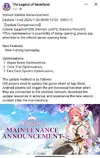
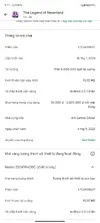
Something about update SEA sever
New version is preparing to release
Post automatically merged:
New version is preparing to release
Attachments
Last edited:
Joelgee
Member
[Attachment removed from Quotes]
Name: The Legend of Neverland
SEA Version: 1.17.23120414
Global Version: 1.17.23120803
KR Version: 1.17.23110311
JP Version: 1.17.23110309
TW Version: 1.17.23120415
Root: No
Mod features:
1. Semi godmode
• Some mobs/bosses with melee atk able to hit you still • May or may not work on some content2. Fairy no cd
3. Damage x2
4. Mspd
Install Steps:
1. Download & Install mod
2. Enable "DRAW OVER" or "DISPLAY POP-UP WINDOW" permission (if Android 6+)
3. Enjoy!
HOW TO ENABLE PERMISSION ON ANDROID
WHY BLACK/WHITE SCREEN/CRASHED ?
- Open device "Settings"
- Go to APPS
- Scroll down to desired APP and TAP IT
- Go to "OTHER PERMISSIONS" or "ADVANCED PERMS" and tick "DRAW OVER" or "DISPLAY POP-UP WINDOW"
- IF YOU DON'T DO THIS MOD WILL CRASH
- Enable STORAGE permission!
GAME STILL CRASHED, HOW TO SEND LOGS ?
- Enable STORAGE permission
- Mod does not support VM
- Remove gameguardian or any similar memory tool
- Remove adblocker
- Go to folder /Android/data/game package name/files/mod_menu_crash_logs.txt
- Copy and paste in the logs, send it here
- Or take a screenshot inside the logs.txt
Credits: Jacknator
Telegram: Update news
[Hidden content]
New update please
OP
OP
SEA TW updated
Added back fairy no cd bcs ppl keep spamming my inbox to add back again, some say still work same not. Idk anymore & idc if working or not, lazy test. If working good for u, if not just dont use. Easy
Added back fairy no cd bcs ppl keep spamming my inbox to add back again, some say still work same not. Idk anymore & idc if working or not, lazy test. If working good for u, if not just dont use. Easy
Joelgee
Member
[Attachment removed from Quotes]
Name: The Legend of Neverland
SEA Version: 1.17.24011627
Global Version: 1.17.23120803
KR Version: 1.17.23110311
JP Version: 1.17.23110309
TW Version: 1.17.24011625
Root: No
Mod features:
1. Semi godmode
• Some mobs/bosses with melee atk able to hit you still • May or may not work on some content2. Fairy no cd
3. Damage x2
4. Mspd
Install Steps:
1. Download & Install mod
2. Enable "DRAW OVER" or "DISPLAY POP-UP WINDOW" permission (if Android 6+)
3. Enjoy!
HOW TO ENABLE PERMISSION ON ANDROID
WHY BLACK/WHITE SCREEN/CRASHED ?
- Open device "Settings"
- Go to APPS
- Scroll down to desired APP and TAP IT
- Go to "OTHER PERMISSIONS" or "ADVANCED PERMS" and tick "DRAW OVER" or "DISPLAY POP-UP WINDOW"
- IF YOU DON'T DO THIS MOD WILL CRASH
- Enable STORAGE permission!
GAME STILL CRASHED, HOW TO SEND LOGS ?
- Enable STORAGE permission
- Mod does not support VM
- Remove gameguardian or any similar memory tool
- Remove adblocker
- Go to folder /Android/data/game package name/files/mod_menu_crash_logs.txt
- Copy and paste in the logs, send it here
- Or take a screenshot inside the logs.txt
Credits: Jacknator
Telegram: Update news
[Hidden content]
HW
Vnhaxer
Member
Thank you and i trying not spamming youSEA TW updated
Added back fairy no cd bcs ppl keep spamming my inbox to add back again, some say still work same not. Idk anymore & idc if working or not, lazy test. If working good for u, if not just dont use. Easy

Vampire2k16
Member
[Attachment removed from Quotes]
Name: The Legend of Neverland
SEA Version: 1.17.24011627
Global Version: 1.17.23120803
KR Version: 1.17.23110311
JP Version: 1.17.23110309
TW Version: 1.17.24011625
Root: No
Mod features:
1. Semi godmode
• Some mobs/bosses with melee atk able to hit you still • May or may not work on some content2. Fairy no cd
3. Damage x2
4. Mspd
Install Steps:
1. Download & Install mod
2. Enable "DRAW OVER" or "DISPLAY POP-UP WINDOW" permission (if Android 6+)
3. Enjoy!
HOW TO ENABLE PERMISSION ON ANDROID
WHY BLACK/WHITE SCREEN/CRASHED ?
- Open device "Settings"
- Go to APPS
- Scroll down to desired APP and TAP IT
- Go to "OTHER PERMISSIONS" or "ADVANCED PERMS" and tick "DRAW OVER" or "DISPLAY POP-UP WINDOW"
- IF YOU DON'T DO THIS MOD WILL CRASH
- Enable STORAGE permission!
GAME STILL CRASHED, HOW TO SEND LOGS ?
- Enable STORAGE permission
- Mod does not support VM
- Remove gameguardian or any similar memory tool
- Remove adblocker
- Go to folder /Android/data/game package name/files/mod_menu_crash_logs.txt
- Copy and paste in the logs, send it here
- Or take a screenshot inside the logs.txt
Credits: Jacknator
Telegram: Update news
[Hidden content]
Post automatically merged:
[Attachment removed from Quotes]
Name: The Legend of Neverland
SEA Version: 1.17.24011627
Global Version: 1.17.23120803
KR Version: 1.17.23110311
JP Version: 1.17.23110309
TW Version: 1.17.24011625
Root: No
Mod features:
1. Semi godmode
• Some mobs/bosses with melee atk able to hit you still • May or may not work on some content2. Fairy no cd
3. Damage x2
4. Mspd
Install Steps:
1. Download & Install mod
2. Enable "DRAW OVER" or "DISPLAY POP-UP WINDOW" permission (if Android 6+)
3. Enjoy!
HOW TO ENABLE PERMISSION ON ANDROID
WHY BLACK/WHITE SCREEN/CRASHED ?
- Open device "Settings"
- Go to APPS
- Scroll down to desired APP and TAP IT
- Go to "OTHER PERMISSIONS" or "ADVANCED PERMS" and tick "DRAW OVER" or "DISPLAY POP-UP WINDOW"
- IF YOU DON'T DO THIS MOD WILL CRASH
- Enable STORAGE permission!
GAME STILL CRASHED, HOW TO SEND LOGS ?
- Enable STORAGE permission
- Mod does not support VM
- Remove gameguardian or any similar memory tool
- Remove adblocker
- Go to folder /Android/data/game package name/files/mod_menu_crash_logs.txt
- Copy and paste in the logs, send it here
- Or take a screenshot inside the logs.txt
Credits: Jacknator
Telegram: Update news
[Hidden content]
- Status
- Not open for further replies.
Share: