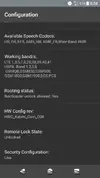
This is one of the best and fastest way to root 99% of all android devices

Requirements:
-A PC running on Windows Operating System
-USB cable for connect Device and the PC
-An Android device with Android OS 2.2 or heigher
-Install USB drivers
-Battery life needed more than 50%.
Link is Broken
Instructions:
-First download iRoot setup file via above link.
-Enable the USB debugging mode on your device.
-Connect device and the PC by using USB cable
-Then click ROOT button
-Please wait for a moment and see the Root result on device's screen
Heres a link for a video on how to do it. (VRoot/iRoot)
YouTube tut on how to root phone
Requirements:
-A PC running on Windows Operating System
-USB cable for connect Device and the PC
-An Android device with Android OS 2.2 or heigher
-Install USB drivers
-Battery life needed more than 50%.
Link is Broken
Instructions:
-First download iRoot setup file via above link.
-Enable the USB debugging mode on your device.
-Connect device and the PC by using USB cable
-Then click ROOT button
-Please wait for a moment and see the Root result on device's screen
Heres a link for a video on how to do it. (VRoot/iRoot)
YouTube tut on how to root phone