


Exclusive ZOMBIE Kingdom : Survival AFK v4.8.2 [7+ FEATURES]
- Thread starter Jacknator
- Start date
You are using an out of date browser. It may not display this or other websites correctly.
You should upgrade or use an alternative browser.
You should upgrade or use an alternative browser.
Boomba
New User

ikenakk
New User

pzychotich1
New User

ann007
Member

bf5454
New User
3357574762
New User
OP
OP


Updated to latest version!
Dev drop LIAPP and probably will add back again lol, have fun while it lasted
Dev drop LIAPP and probably will add back again lol, have fun while it lasted
Knighx25
New User
Cho hong
New User

Jeongdongwon
Member
[Attachment removed from Quotes]
Name: ZOMBIE Kingdom : Survival AFK
Version: 4.7.0
Root: Yes + Patched (game only have google login)
Mod features:
1. Unlimited damage
2. Godmode
3. ASPD
4. Boost stats
5. Max range
6. Loot drop x1-100
• XP• Equipments• Gold• Mats7. Freezed currency/mats/items - Few other thing might not work
Install Steps:
1. Download & Install mod
2. Enable "DRAW OVER" or "DISPLAY POP-UP WINDOW" permission (if Android 6+)
3. Enable storage permission
4. Enjoy!
HOW TO ENABLE PERMISSION ON ANDROID
WHY BLACK/WHITE SCREEN/CRASHED ?
- Open device "Settings"
- Go to APPS
- Scroll down to desired APP and TAP IT
- Go to "OTHER PERMISSIONS" or "ADVANCED PERMS" and tick "DRAW OVER" or "DISPLAY POP-UP WINDOW"
GAME STILL CRASHED, HOW TO SEND LOGS ?
- Enable STORAGE permission
- Remove gameguardian or any similar memory tool
- Some device has battery optimization, disable it
- Go to folder /Android/data/game package name/files/mod_menu_crash_logs.txt
- Copy & paste or take a screenshot inside the logs, send it here
- Some device may have different dir (document files)
- Alternative way: Install matlogs app (required root device), open matlogs & click start record. Open the game wait for game crashed or few minutes and stop record.
Become secret forces against bloody K-Zombie and save the kingdom!
Once upon a time, In the 29th year of King Sejong,
Become Joseon's special secret "Detective" and complete your mission!
"The famine struck so hard this spring that there are people eating human flesh."
The Joseon Dynasty is in chaos, and the King Sejong has ordered the "Detectives" to carry on a secret mission!
Become the "Detective" with excellent physical abilities and the skills to perform Taoist magic to save the country.
▶A thrilling action, sweeping zombies using fans!
A large fan-shaped weapon you have never seen before!
Simple yet splendid fan skills! Feel the speedy action as you grow.
▶ Experience the Joseon Dynasty with 3D & pixel graphics!
Cute and retro dot graphic that everyone likes!
It's a 3D background that makes you fall in love with the more and more!!
▶ Awesome! Gorgeous! Exotic transformation skills!
Become stronger by transforming into Hong Gil-dong, The Nine-tailed Fox, Grim Reaper and many more!
▶ Simple, yet numerous ways to grow!
All you need is a simple tap to grow!
Experience yourself become stronger and greater with a simple tap!
Androidrepublic
Androidrepublic.org
Android republic
Android republic org
TeamAR
Team AR
ARTeam
AR TeamThere are several method to login with google login, google login can be complicated for some newbies. I do prefer other login but google is the last choices.
If all the method below fail/doesnt work in your way, watch the tutorial HERE
Method #1 is consider the best option and it will work 99% of time
Requirement:
You can patched your device with
- Rooted device
- Patched device
- Unsigned mod apk
Method 1
- Lucky Patcher (might need several tries to applied on Android 9+ until success, warning might brick your device)
- Core Patch
- Use both is also an option
Method 2
- Install the game from Playstore or original apk from apkcombo
- Open the game and login your account
- Close the game and install mod over without uninstall the original
Method 3
- Install original version of the game. Log-in your Google account as normal
- Install Titanium Backup. Go to MENU/Preferences
- In Backup setting: tick Always for Backup app external data
- In Restore setting: tick Restore app external data
- Then back-up the game you want
- Uninstall the game and install the mod
- Go to Titanium backup and choose the game to restore
- Choose Restore APP DATA ONLY
- After finishing restore, log-in the mod game and enjoy
GitHub - LSPosed/CorePatch: Disable signature verification For Android
Method 4
Method 5
- Directly using unsigned apk to login google but not all game will work with this method
- If you having trouble to even install unsigned apk, just use signed or sign the unsigned apk yourself and combine with method #1
Credits: Jacknator
Telegram: Update news
Playstore Link: ZOMBIE Kingdom : Survival AFK - Apps on Google Play
[Hidden content]
Good


linusliang
New User
OP
OP
Tested before release, just incase u didnt readfreeze currency not working
7. Freezed currency/mats/items - Few other thing might not work

Akaneiiko
Active Member
sorry its working , it just my game took some time to load the the cheatTested before release, just incase u didnt read
7. Freezed currency/mats/items - Few other thing might not work
RyuuNix
New User
OP
OP

Chilinh999
New User

Chends
New User
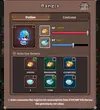
Not sure what happened, but my HP potions bugged when I logged in with the mod apk. Is there a fix for this? Because I cannot use the bugged potions anymore, I click those but it won't select them xD.
Other than that, mod works great! Congrats
Other than that, mod works great! Congrats
Attachments
OP
OP
Share: