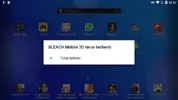
Name: BLEACH Mobile 3D
Version: 19.1.1
Root: No
Mod Menu:
- Damage Multiplier
- Defense Multiplier
Install Steps:
- Link your account to any social (simply backup your account)
- If you are using my old mod, just install new apk over old one
- Uninstall your current version
- Download & Install the MOD APK
- Enable "DRAW OVER" or "DISPLAY POP-UP WINDOW" permission for this game
- This Game needs obb file
- Open device "Settings"
- Go to APPS
- Scroll down to desired APP and TAP IT
- Go to "OTHER PERMISSIONS" or "ADVANCED PERMS" and tick "DRAW OVER" or "DISPLAY POP-UP WINDOW"
- IF YOU DON'T DO THIS MOD WILL CRASH
Notes: READ IMPORTANT...!!!
- If you have Game Guardian Installed please uninstall in order for the game to work
- some mods have ads to pay-off a small part of electricity bills, your support very much appreciated. wait for the ads to finish, click close button on top right corner. If you're VIP members using this mod, you should not see ads whatsoever, just login into VIP app. Make sure ADBLOCK or any apps that block access to ads network are removed as they cause game to crash.
- As per any mod there is always a chance of getting banned you have been warned
- PM me a crash log if mod Crashes or shows black or white screen: How-to tutorial videos | Youtube
Credits: Icry4u
Playstore: BLEACH Mobile 3D - Apps on Google Play
Download MOD : 32.85 MB file on MEGA
OBB File: https://apkcombo.com/apk-downloader/#package=com.th.siamgame.ggplay.bleach&arches=armeabi-v7a
Last edited: