Bypass app purchases

Aika420

New User
1
03/20/23
0
Thread Author
Hello, how do I bypass purchases in a game? For example: 200 coins for any upgrade (damage, speed, etc). The transaction of the purchase is not done through a server and therefore completely offline. I'm new here and would like to get the solution to my problem completely explained step by step if possible. Want to learn a lot and not a script kiddy.✌️
 
Does anyone know of a fix yet for Android NEWER phones.

We can NO longer change or modify
.OBB files

I'm using ES File Explorer...

And this option is no longer available 😢 since they have it now restricted

I was hoping someone knew a fix for this... OTHER than root..


Thanks
 
Does anyone know of a fix yet for Android NEWER phones.

We can NO longer change or modify
.OBB files

I'm using ES File Explorer...

And this option is no longer available 😢 since they have it now restricted
I was hoping someone knew a fix for this... OTHER than root..


Thanks
this is a restriction of android itself you can copy move or change the obb and data folders by connecting the cell phone to the computer this is how i do it or you can create a xapk file on your cell phone there are some tutorials that show you how to do it there and just use an application that installs xapk
 
Does anyone know of a fix yet for Android NEWER phones.

We can NO longer change or modify
.OBB files

I'm using ES File Explorer...

And this option is no longer available 😢 since they have it now restricted

I was hoping someone knew a fix for this... OTHER than root..


Thanks

Download the X-plore file manager and give it Permission to “Allow access to manage all files” on opening.


1.webp


After it opens, Click on the Internal Storage
2.webp


Navigate to the Android folder and open it. Now, click on either the Data folder or OBB folder depending on the one you want to view

3.webp


A pop-up requesting for “Special access to Internal Storage” will appear. Click on Continue on the Pop-up and move to the next step

4.webp


Once you clicked the continue button on the pop-up, a different page with list of files will surface. Ignore any other thing and look for a footer button “Use this Folder”

5.webp


After clicking on this button, a pop-up asking “Allow X-plore to access your files in Data?” Kindly click on Allow Button

6.webp


You will notice that all your files in the Data or OBB folder of your Android 11 are now visible on the X-plore file manager

7.webp


You can now proceed by copying, moving, or deleting your desired files on the Android 11 Data and OBB folder
 
Download the X-plore file manager and give it Permission to “Allow access to manage all files” on opening.


[Attachment removed from Quotes]

After it opens, Click on the Internal Storage
[Attachment removed from Quotes]

Navigate to the Android folder and open it. Now, click on either the Data folder or OBB folder depending on the one you want to view

[Attachment removed from Quotes]

A pop-up requesting for “Special access to Internal Storage” will appear. Click on Continue on the Pop-up and move to the next step

[Attachment removed from Quotes]

Once you clicked the continue button on the pop-up, a different page with list of files will surface. Ignore any other thing and look for a footer button “Use this Folder”

[Attachment removed from Quotes]

After clicking on this button, a pop-up asking “Allow X-plore to access your files in Data?” Kindly click on Allow Button

[Attachment removed from Quotes]

You will notice that all your files in the Data or OBB folder of your Android 11 are now visible on the X-plore file manager

[Attachment removed from Quotes]

You can now proceed by copying, moving, or deleting your desired files on the Android 11 Data and OBB folder
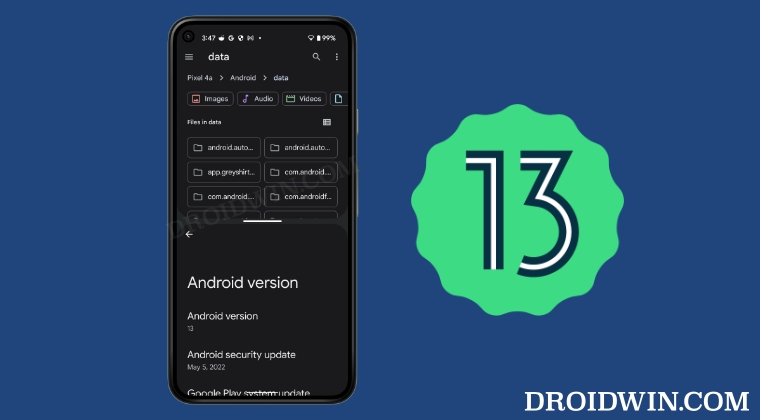
Work's in android 11 and 12 but in android 13 not
Post automatically merged:

on android 13 it doesn't work it's a restriction of the system itself you can visualize the data and obb folders but you can't paste subfolders in them or even copy the folders or delete you can only copy what's inside the folders
 
Work's in android 11 and 12 but in android 13 not
Post automatically merged:

on android 13 it doesn't work it's a restriction of the system itself you can visualize the data and obb folders but you can't paste subfolders in them or even copy the folders or delete you can only copy what's inside the folders

This method working give a try

 
Hello, how do I bypass purchases in a game? For example: 200 coins for any upgrade (damage, speed, etc). The transaction of the purchase is not done through a server and therefore completely offline like GTA 4 Apk By GTA Beast
 
Last edited:
Hello, how do I bypass purchases in a game? For example: 200 coins for any upgrade (damage, speed, etc). The transaction of the purchase is not done through a server and therefore completely offline
lucky patcher.
 
Back
Top Bottom