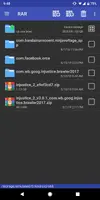
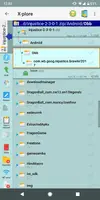
I'm been trying to download the injustice 2 mod and know you need the obb files from the play store first. So the process I've been doing is download the ps version, rename the obb file (using X-plore app) uninstall the ps version, rename obb file to it's original, and then install the mod. The issue I've been running into is when I open up injustice 2 it gets stuck on downloading resources. Any help or a better way of doing this?
4. Now open the zip file you will see some files in there. Look for com.YoStarEN.AzurLane View attachment 82862
5. This is how the file looks like, now you need to copy this OBB
5a. Transfer this file to your emulator shared folder (emulator user only) View attachment 82863
2. This is how the file looks like [Attachment removed from Quotes]
3. Rename the file from .xapk to .zip [Attachment removed from Quotes]
4. Now open the zip file you will see some files in there. Look for com.YoStarEN.AzurLane [Attachment removed from Quotes]
5. This is how the file looks like, now you need to copy this OBB
5a. Transfer this file to your emulator shared folder (emulator user only) [Attachment removed from Quotes]
6. Go to your device, looks for Android/Obb/
[Attachment removed from Quotes]
7. Paste the obb here
[Attachment removed from Quotes]
8. Now install Azur_Lane_v1.2.209_God_Apr_27.apk , enable permission (if android 6.0+) & open the game wait for ingame data loading
@Jacknator when I changed the app from xapk to zip this is what I get when I open the zip. I'm guessing the .com wb file is the obb that I need to copy?
Alright it's working now the apk I was downloading wasn't an xapk just an apk. The problem I'm having now is it isn't linking with my previous game data. It's making me start over which would be fine but now I have to complete the tutorial which I can't because you have to block enemy attacks but the mod makes it so the enemy doesn't attack