


Exclusive Pixel Fantasia: Idle RPG v3.0.27 [4+ FEATURES]
You are using an out of date browser. It may not display this or other websites correctly.
You should upgrade or use an alternative browser.
You should upgrade or use an alternative browser.


Vroel
Member
Is anyone getting hit with a cant connect to the internet error even though it login

ardnacc
Member
Gogo50cent
New User
HSj90
New User
OP
OP


Bcs this is signed apk u cant sign the way before, u need to login using original apk then install mod overI was able to log in in 2.0.44, but in 2.0.45 it says impossible to keep waiting.
This is what ppl wanted, that what u got lol
HSj90
New User
Bcs this is signed apk u cant sign the way before, u need to login using original apk then install mod over
This is what ppl wanted, that what u got lol
Can you upload the unsigned mod as well?
OP
OP
ardnacc
Member
Imma already patching with lucky patcher. And its says game update new version. Pls check on playstore. TyBcs this is signed apk u cant sign the way before, u need to login using original apk then install mod over
This is what ppl wanted, that what u got lol

starkidd1006
New User

Kamado
New User
HSj90
New User
Kamado
New User
[Attachment removed from Quotes]
Name: Pixel Fantasia: Idle RPG
Version: 2.0.45
Root: Yes
Mod features:
1. Unlimited damage
2. Godmode
3. Fast cleared dungeon
4. Freezed currency etc
Install Steps:
1. Download & Install mod
2. Enable "DRAW OVER" or "DISPLAY POP-UP WINDOW" permission (if Android 6+)
3. Enable storage permission
4. Enjoy!
HOW TO ENABLE PERMISSION ON ANDROID
WHY BLACK/WHITE SCREEN/CRASHED?
- Open device "Settings"
- Go to APPS
- Scroll down to desired APP and TAP IT
- Go to "OTHER PERMISSIONS" or "ADVANCED PERMS" and tick "DRAW OVER" or "DISPLAY POP-UP WINDOW"
GAME STILL CRASHED, HOW TO SEND LOGS?
- Enable STORAGE permission
- Remove gameguardian or any similar memory tool
- Remove adblocker
- Some device has battery optimization, disable it
- Go to folder /Android/data/game package name/files/mod_menu_crash_logs.txt
- Copy & paste or take a screenshot inside the logs, send it here
- Some device may have different dir (document files)
- Alternative way: Install matlogs app (required root device), open matlogs & click start record. Open the game wait for game crashed or few minutes and stop record.
Think of it as a way to support me, I'm doing my best to keep them user friendly and not frequent. There is always one on start and after that one every 30mins! Think of it as a small contribution and not a pain in the ass.
VIP users will not see ads!
Credits: Jacknator
Telegram: Update news
Playstore Link: Pixel Fantasia: Idle RPG GAME - Apps on Google Play
[Hidden content]
crash
Post automatically merged:
also when it's crashing it's automatically logging out my account.crash
Post automatically merged:
[Attachment removed from Quotes]
Name: Pixel Fantasia: Idle RPG
Version: 2.0.46
Root: Yes
Mod features:
1. Unlimited damage
2. Godmode
3. Fast cleared dungeon
4. Freezed currency etc
Install Steps:
1. Download & Install mod
2. Enable "DRAW OVER" or "DISPLAY POP-UP WINDOW" permission (if Android 6+)
3. Enable storage permission
4. Enjoy!
HOW TO ENABLE PERMISSION ON ANDROID
WHY BLACK/WHITE SCREEN/CRASHED?
- Open device "Settings"
- Go to APPS
- Scroll down to desired APP and TAP IT
- Go to "OTHER PERMISSIONS" or "ADVANCED PERMS" and tick "DRAW OVER" or "DISPLAY POP-UP WINDOW"
GAME STILL CRASHED, HOW TO SEND LOGS?
- Enable STORAGE permission
- Remove gameguardian or any similar memory tool
- Remove adblocker
- Some device has battery optimization, disable it
- Go to folder /Android/data/game package name/files/mod_menu_crash_logs.txt
- Copy & paste or take a screenshot inside the logs, send it here
- Some device may have different dir (document files)
- Alternative way: Install matlogs app (required root device), open matlogs & click start record. Open the game wait for game crashed or few minutes and stop record.
Think of it as a way to support me, I'm doing my best to keep them user friendly and not frequent. There is always one on start and after that one every 30mins! Think of it as a small contribution and not a pain in the ass.
VIP users will not see ads!
Credits: Jacknator
Telegram: Update news
Playstore Link: Pixel Fantasia: Idle RPG GAME - Apps on Google Play
[Hidden content]
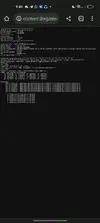
can't login even though i using unsigned apk
Attachments
Last edited:

wufang
New User
PandaJunior
New User
OP
OP
Updated to latest version!
If mod not applied on A9+ please use save preference in the menu (do not forced load)
Yao_De
Active Member
這個卡在這裡我沒辦法控制其他我需要的東西啊啊啊!
Post automatically merged:
這個卡在這裡我無法控制其他我需要的東西啊啊啊!
Bug???Updated to latest version!
Attachments


Last edited:
OP
OP
Only happen to some device, i cant fix that bcs its not happening to me. Reopen the game for few times till it gone, maybe that will work這個卡在這裡我沒辦法控制其他我需要的東西啊啊啊!
PandaJunior
New User
Yao_De
Active Member
Share: